
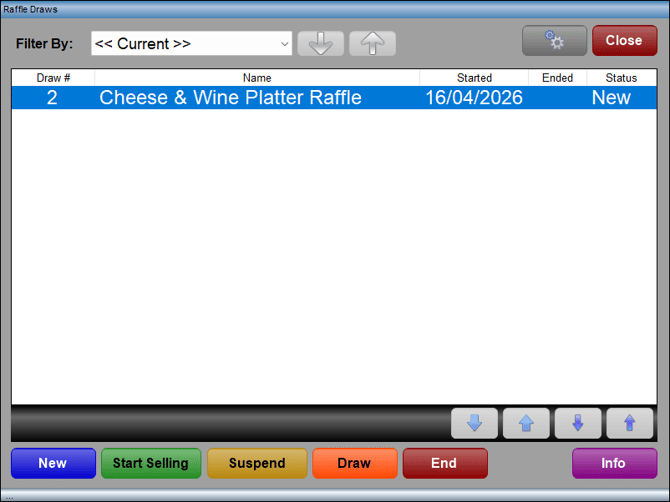
Accessed in Touch from various screens. Used to select and manage Raffle draws.
Sections ▲ ▼
Header Section ▲ ▼

- Filter By - Select from the drop-down list one of the following or select using the up/down arrows to the right.
- << All Draws >>
- << Current >>
- New
- Selling
- Suspended
- Drawing
- Ended
- Settings - Select to re-configure the SQL connection setting. Refer HERE for more information.
- Close - Select to exit.
Grid Section ▲ ▼
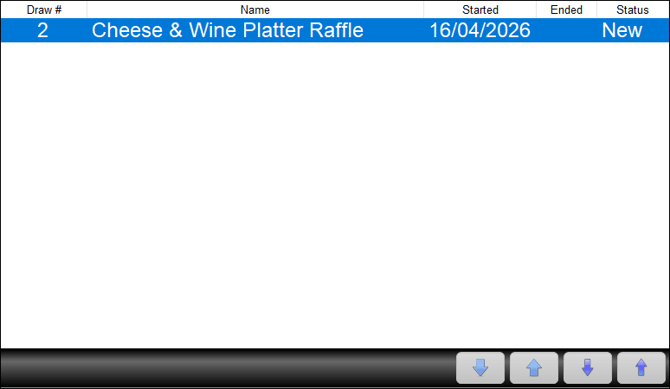
Lists the Raffle draws returned by the filters selected in the header section along with their Draw #, Name, Started/Ended Dates and Status.
- Up/Down Arrows - Select to navigate through the Raffle draws listed.
Footer Section ▲ ▼

- New - Select to open the Raffle Tickets search screen and select a Raffle. Once selected the Raffle will appear in the grid with a status of New. Raffles listed here need to be created in Back Office HERE.
- Start Selling - Select to commence selling tickets for the Raffle highlighted in the grid. The status will change to Selling.
- Suspend - Select to suspend the Raffle. This is normally done to suspend the selling of tickets and execute a draw. The status will change to Suspended.
- Draw - Select to open the Random Draw Control Panel screen and execute a draw.
- End - Select to end a Raffle and remove it from the grid. A prompt will be displayed requesting confirmation to end the selected Raffle.
- Info - Select to open the Raffle Statics screen to view Raffle related statistics.
End of article ▲