
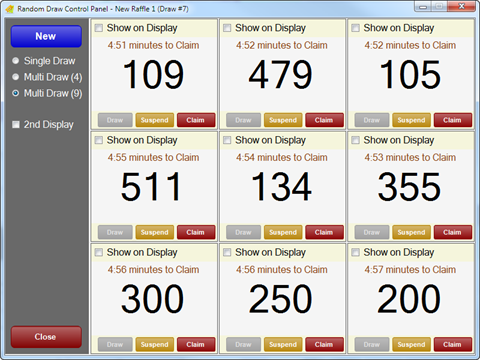
To access, select the Draw option in the footer section of the Raffle Draws screen. Used to select and manage Raffle draws.
Sections ▲ ▼
Left-Hand Side Section ▲ ▼
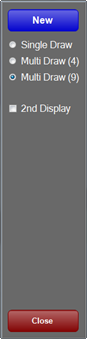
Used to initiate a Raffle Draw.
- New - Select to initiate a Draw depending on one of the following options:
- Single Draw - Select initiate a single Draw.
- Multi Draw (4) - Select to initiate up to 4 Draws.
- Multi Draw (9) - Select to initiate up to 9 Draws.
- 2nd Display - Select to display on a second monitor.
- Close - Select to exit.
Grid Section ▲ ▼
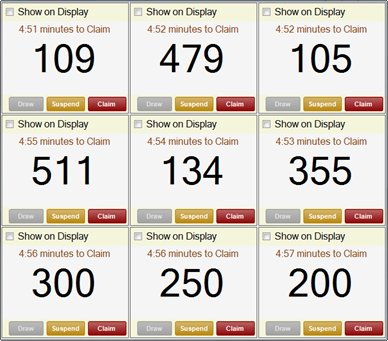
Example of the Multi Draw (9) Raffle
Displays the Raffle draws.
- Show on Display - Select to ensure the draw is displayed on the selected Display.
- Draw - Select to execute a draw and return the winning Raffle ticket.
- Suspend - Select to suspend the Raffle.
- Claim - Select record the Raffle has been claimed.
End of article ▲