
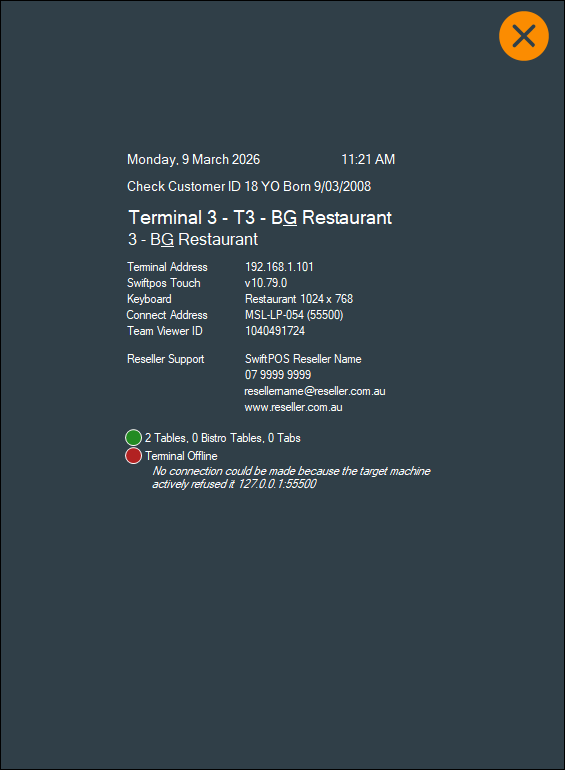
To access, select the Information icon in the footer section of the Touch screen. Used to view information about the Touch terminal, such as:
- Date and Time
- Check Customer ID - Displays when the Required Birthdate Date option is selected.
- Touch terminal ID and Name
- Location ID and Name
- Swiftpos Touch version
- Keyboard Name
- Connect Address (Server running Back Office)
- Team Viewer ID
- Reseller Support Information.
- Number of open Tables, Bistro Tables and/or TABs.
- Issues - Terminal Offline
End of article ▲