
Behaviour
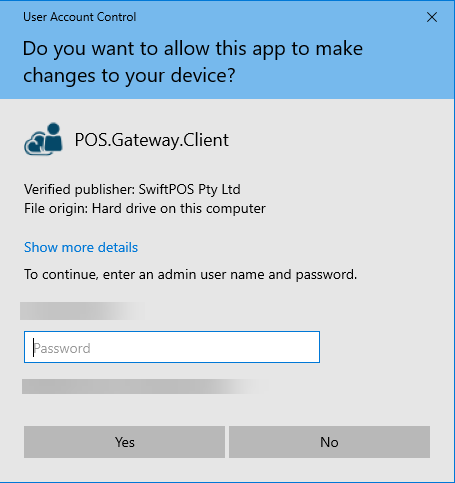
The above prompt will remain displayed for approximately 2min 20sec before automatically closing and returning the user to the Touch POS device so it can be used as a standard user.
If the above prompt times out before the a response is given, the following log entry will be logged:
Error Message: The operation was canceled by the user
Error Source: System ------Stack Trace------- First to Last Sequence - excludes Inner Exceptions
1-Name Space: POS.Utilities.Interfaces.Services
1-Class Name: BaseServiceInterface
1-Method: Start
Occurs
When insufficient permissions to run the Gateway Client service. Essentially, the situation is that due to insufficient permissions, the Gateway Client service required, to run Orderaway and Touchmini successfully, has NOT been able to be launched. This then results in the above prompt being displayed on an ongoing basis. For instance, this can occur when:
-
- A Full Update is processed while Touch POS is running as a standard user.
- Touch POS is started as a standard user.
- Saving or cancelling out of Device Settings while Touch POS is running as a standard user.
Action To Be Taken
To resolve the above, either one of the following needs to be actioned:
- Run Touch POS as the Administrator. Refer HERE for more information.
OR
- Respond to the User Account Control (UAC) prompt by:
- Entering the login credentials of the Administrator into the UAC prompt (as per the screenshot above).
Notes...
Either one of the above will only need to be done once. The next time Touch POS is started as a standard user, it should start up as per normal and launch the Gateway Client service without issue.
Confirm Resolution
To confirm the issue is resolved, do as follows:
- When Touch POS is running and the Device Settings is NOT open:
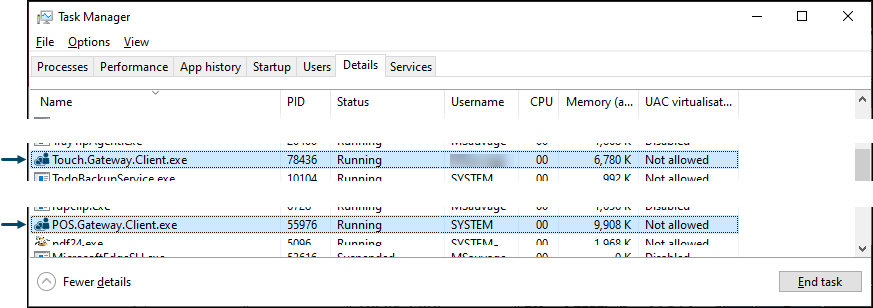
- Then within Windows Task Manager > Processes > Background processes - The POS.Gateway.Client (32 bit) entry should be visible as per the example below:
End of article ▲