
Subjects ▲ ▼
About ▲ ▼
What To Consider? ▲ ▼
- Be aware that before uninstalling Swiftpos services, all services must be stopped. Also, if any changes are made to Venues, Locations, Categories or Taxes, then the services need to be restarted.
- If Back Office was NOT opened with Administrator rights, then the following prompt will be displayed:
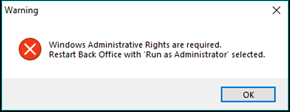
To avoid this, the Back Office application/shortcut can be set to always Run as Administrator. For more information ...
- All services are recommended to be set to log on as an Administrator account.
- Services settings are stored in XML files and can be found at the location C:\ProgramData\Samford Software. For example, ConnectSettings.XML. If for some reason any one of the files have been corrupted or it is zero bytes in length, then the corrupted file(s) will need to be deleted and recreated to default values.
When Is It Used? ▲ ▼
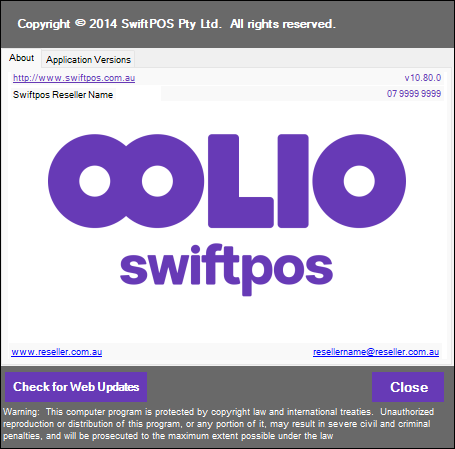
Used to view the current release/version of Swiftpos software as well as all Back Office related software components. In addition, it also provides the access to the Swiftpos Software Updater.
How To? ▲ ▼
Screens ▲ ▼
About Screen ▲ ▼
To access, select the About option in the Help menu of the Toolbar section of the main menu in Back Office. Used to view the current release/version of Swiftpos software as well as all Back Office related software components. In addition, it also provides the access to the Swiftpos Software Updater.
Sections ▲ ▼
Tabs Section ▲ ▼
Tabs
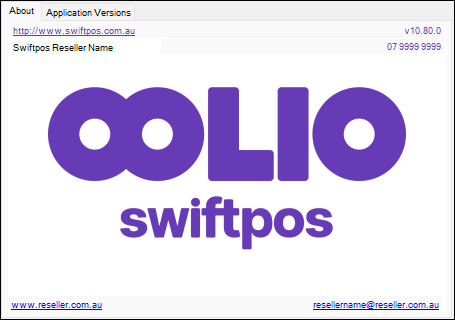
- http://www.swiftpos.com.au
- Displays the current release/version of Swiftpos software.
- Displays the site's current Reseller Contact information. This information is sourced from HERE.
- Check for Web Updates - Select to check for the most recent software updates. Selecting this will result in Back Office to be shut down, and the Swiftpos Software Updater to be opened. Refer HERE for more information.
- Close - Select to exit.
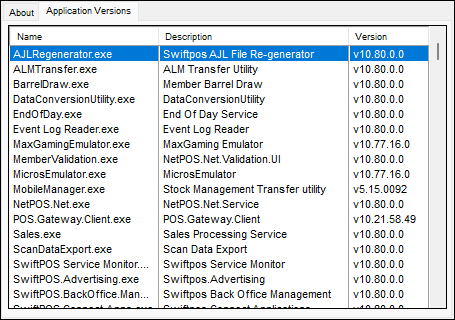
lists all Back Office related software components currently installed and their current version/release.
Notes ...
Under normal circumstances there would be no need to view this information. However, when a support issue arises and requires troubleshooting the information displayed here maybe relevant. For example, if for some reason a DLL file did not download from the web successfully (due to the fact that it may have been cached by an ISP) and therefore maybe the cause of problems being experienced. In this situation this tab can be used to check to see if any of the files are NOT of the correct version. In instances like this a member of the Swiftpos Support team will request that this information be reviewed.
End of article ▲