
This outlines How To Start/Stop Services in Back Office.
How To? ▲ ▼
How To Start/Stop A Swiftpos Service? ▲ ▼
A Swiftpos Service can be manually started/stopped in Back Office, either by:
-
Right selecting the service indicator in the Information bar in the bottom right of the Back Office main menu.
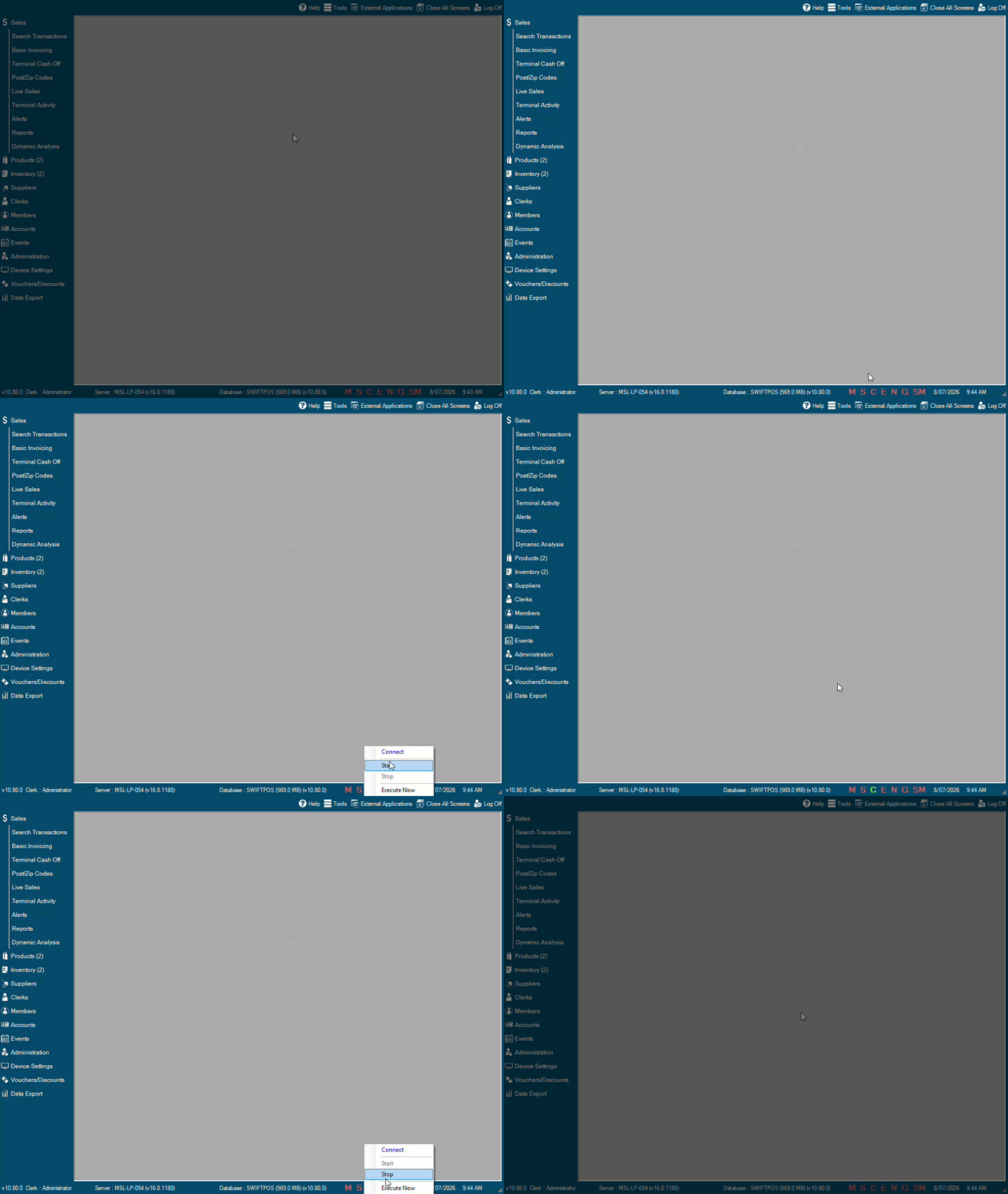
-
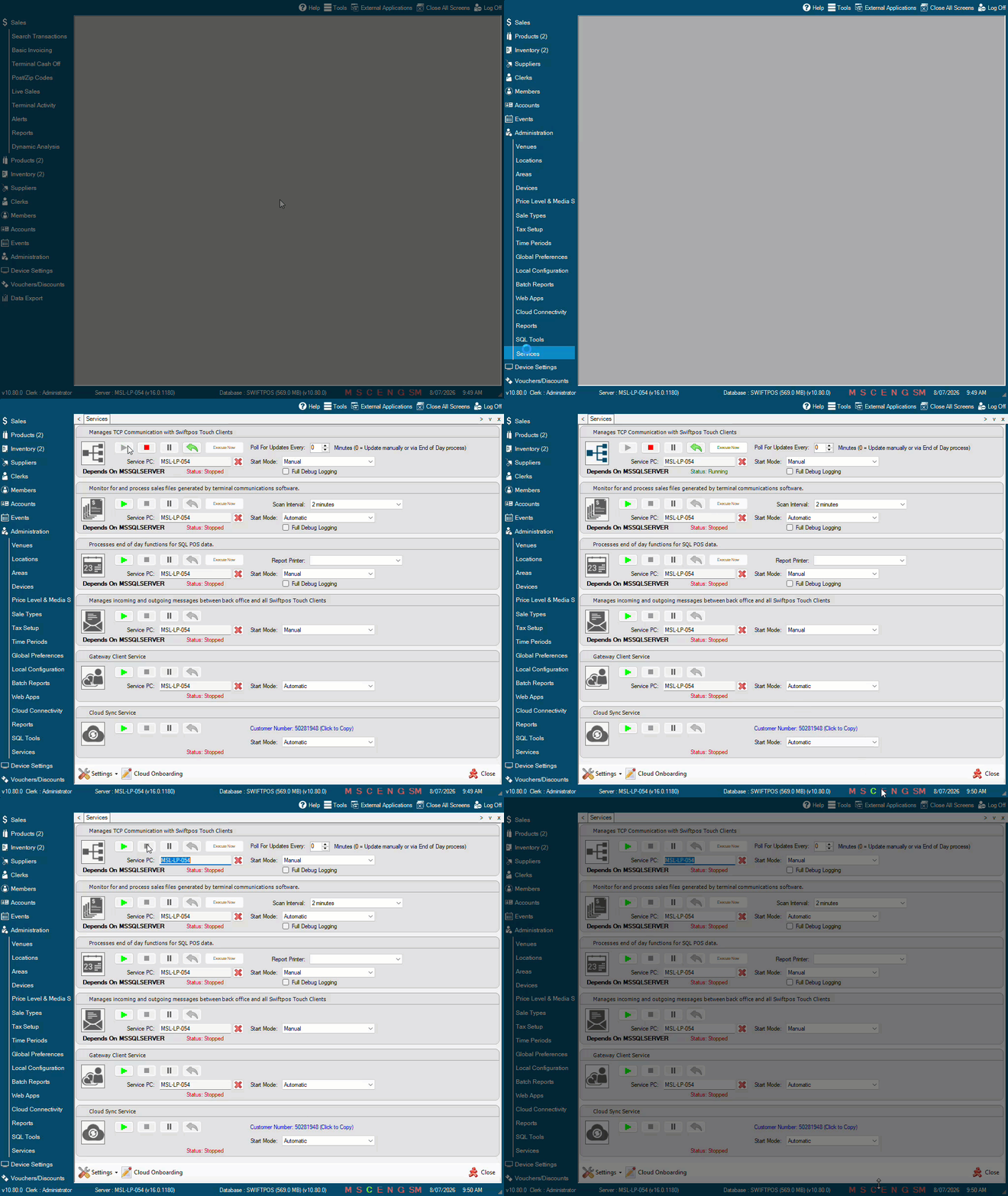
Selecting the Services menu option in the Administration menu in Back Office or by right s For example, to start/stop the Connect service, do as follows:
- Accessing the Service Monitor and using it to start/stop selected services. Refer HERE for more information.
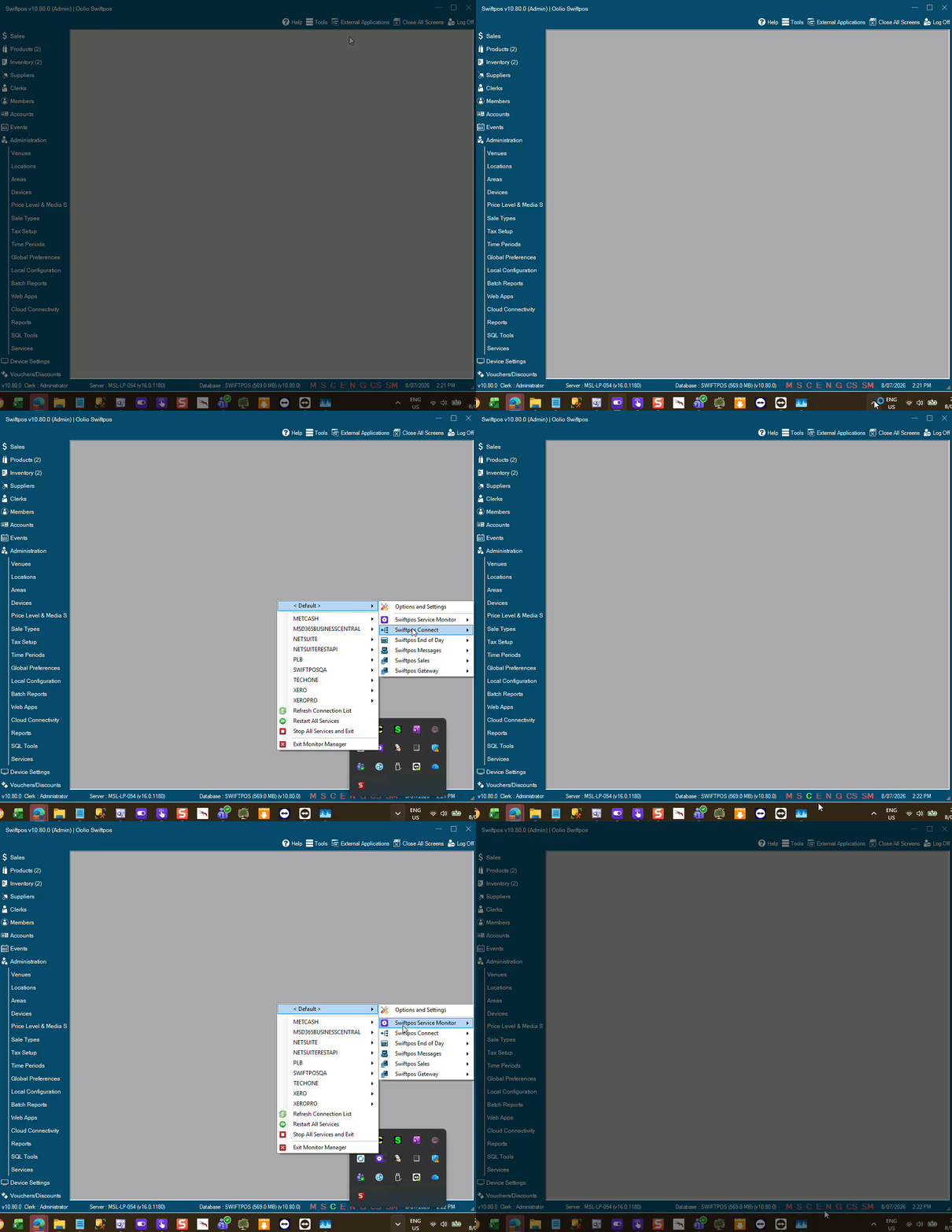
How To Stop All Swiftpos Services? ▲ ▼
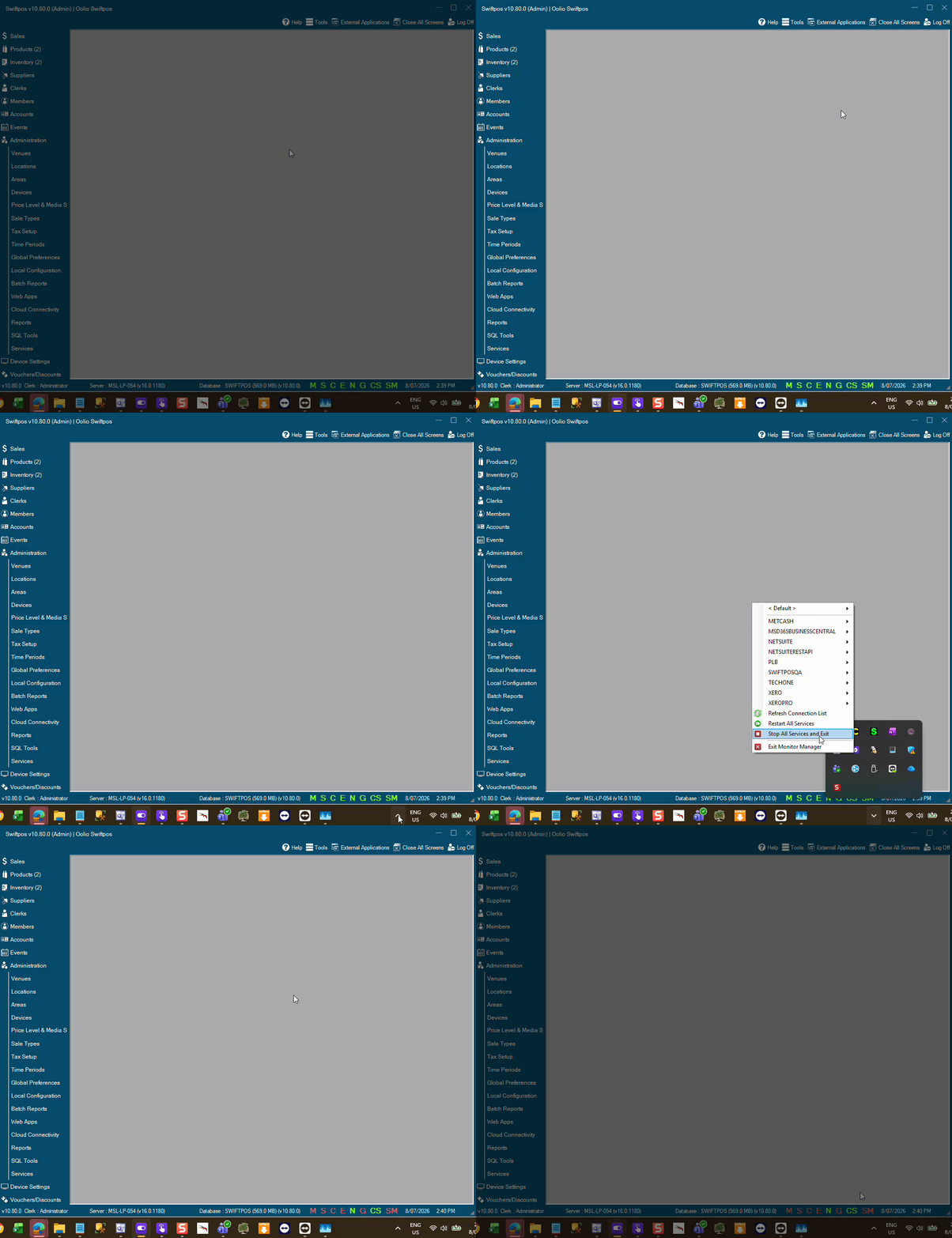
All Swiftpos Services (with the exception of the Cloud Sync Service and the NetPOS service) can be stopped in Back Office, either by:
- Accessing the Service Monitor and selecting the Stop All Services and Exit option. Refer HERE for more information.
Notes ...
Selecting the Stop All Services and Exit option the Service Monitor service will also be stopped.
Also, the Cloud Sync Service and the NetPOS service will NOT be stopped when selecting the Stop All Services and Exit option. Refer HERE to stop these.
End of article ▲