
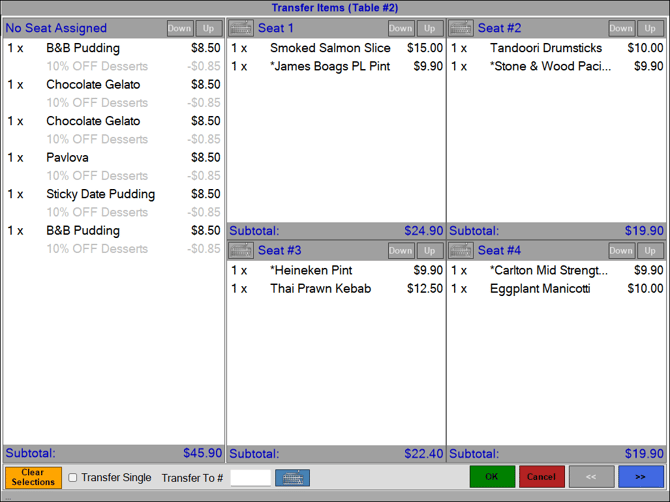
This screen is displayed when transferring Table Items or Tables.
Subjects ▲ ▼
About ▲ ▼
When Is It Used? ▲ ▼
Used when one or more items in a Table's order have to be moved from one Table to another.
Sections ▲ ▼
Grid Section ▲ ▼
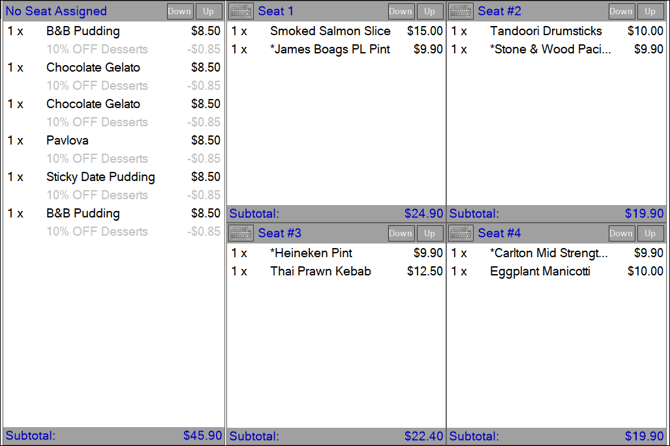
No Seat Assigned Section
This refers to the panel on the left-hand side. Displays the items currently held against the selected Table that are not assigned to a seat.
Notes ...
To select all items listed in this section, select the header part of the No Seat Assigned section.
Seat Section
This refers to the 4 panels on the right-hand side. Displays the items currently held against the selected Table that are assigned to seats.
Notes ...
To select all items assigned to a seat, select the header part of the seat section.
Use the navigation options (if enabled), in the footer section, to view the items for all seats.
Footer Section ▲ ▼

- Clear Selection - Select to clear the selection of items already made.
- Transfer Single - Select to transfer a quantity of one for the items currently selected.
- Transfer To - Enter the number of the Table to which the items were transferred to.
- << / >> - Navigation option used to view the items for all seats. These will only be enabled if there are more than 4 seats with items assigned.
End of article ▲