
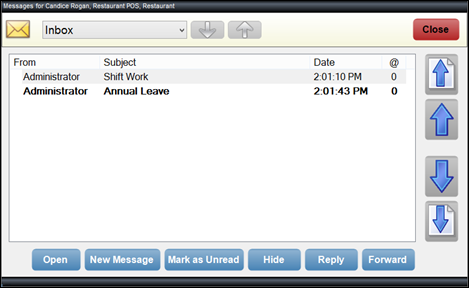
To access, select the Open Messages (#150) POS Key in Touch. Used to manage messages sent between Touch devices and/or Back Office.
Sections ▲ ▼
Header Section ▲ ▼

-
Message Folders - Select from the following drop-down list:
-
- Inbox
- Sent Items
- Hidden Items
- Up/Down Arrows - Select to scroll up/down through the above email folders.
Grid Section ▲ ▼
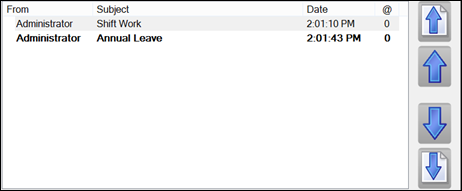
Lists all the Messages for the selected folder, along with their From/To, Subject and Date.
- Up/Down Page Arrows - Select to scroll up/down one screen of messages at a time.
Notes ...
Unread Messages are displayed in bold.
Footer Section ▲ ▼

- Open - Select to open the selected Message in the New Message screen. Once opened the Message will be marked as read.
- New Message - Select to open the New Message screen and compose a new Message.
- Mark as Read/Unread - Select to mark the selected Message as read/unread.
- Hide/Unhide - Select to move the selected Message into/out of the Hidden Items folder.
- Reply - Select to open the New Message screen and compose a reply Message.
- Forward - Select to open the New Message screen and forward the Message.
- Close - Select to exit.
End of article ▲