
Subjects ▲ ▼
About ▲ ▼
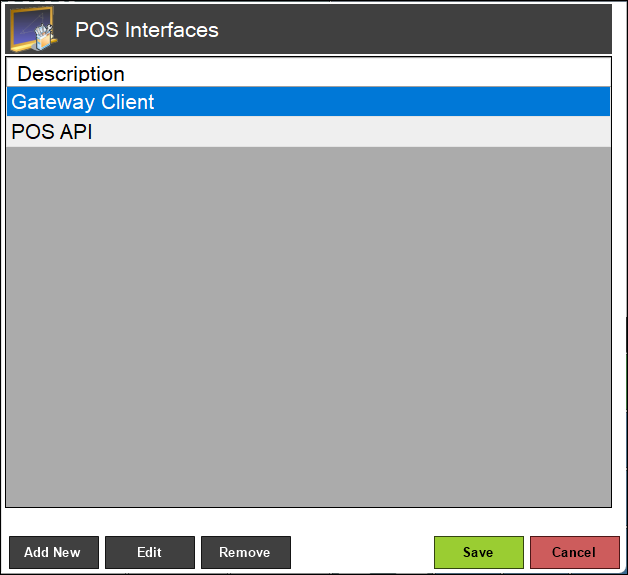
Used to manage/view 3rd Party Integration configurations in Touch. Displays a list of currently configured 3rd Party Integrations.
What Is Required? ▲ ▼
- Touch will need to be installed and be operational.
What Is Supported? ▲ ▼
- The following lists the Interface Types that are configurable via the Interface List menu option, and which are currently supported in Touch. Select any one of them to view their list of Interfaces:
- Swiftpos is ePAY certified.
How To ▲ ▼
Screens ▲ ▼
Add New Interface Screen ▲ ▼
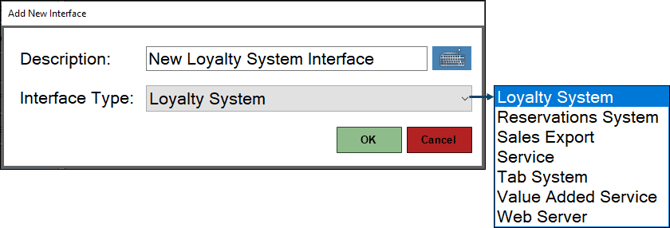
To access, select the Add New option in the Interface List menu option. Used when a Venue wants to add a new Interface in Touch.
- Description - Displays/Enter a description for the Interface being added.
- Interface Type - Select from the drop-down list of Interface types that are supported. Refer HERE for more information.
POS Interfaces Screen ▲ ▼
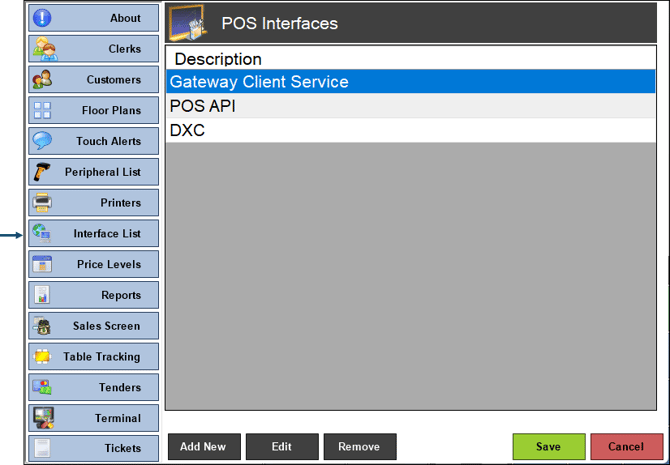
To access, select the Interface List menu option in the Terminal Settings menu. Used to manage/view 3rd Party Interface configurations in Touch. Refer HERE for more information.
- Add New - Select to open the Add New Interface screen to add an Interface.
- Edit - Select to edit the selected Interface.
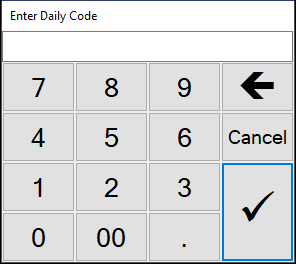
- Remove - Select to remove the selected Interface. When selected a prompt will be displayed to confirm the removal of the selected Interface. If Yes is selected, then the following prompt will be displayed to ensure the mandatory entry of the Daily Code:
End of article ▲