
This outlines How To Take A Deposit For An Order in Touch.
How To? ▲ ▼
- In Touch, select the Orders Pending option to open the Phone / Web Orders screen to select and open the order in the sales grid.
- Once the order is displayed in the sales grid, tender the amount being deposited by using one of the Finalise POS Keys.
- The amount outstanding will be decremented. For example:
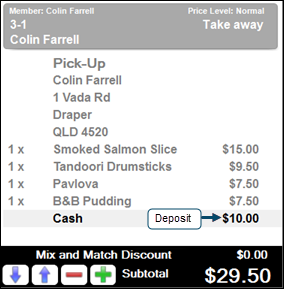
- Select the Save Order (#26) POS Key to save the order for recalling later.
End of article ▲