
This outlines How To Charge / Redeem A Gift Card / Voucher using the Stored Value Charge (#246) POS Key.
How To? ▲ ▼
Firstly, do as follows:
In Touch, do as follows:
- Add items/products to the sales grid.
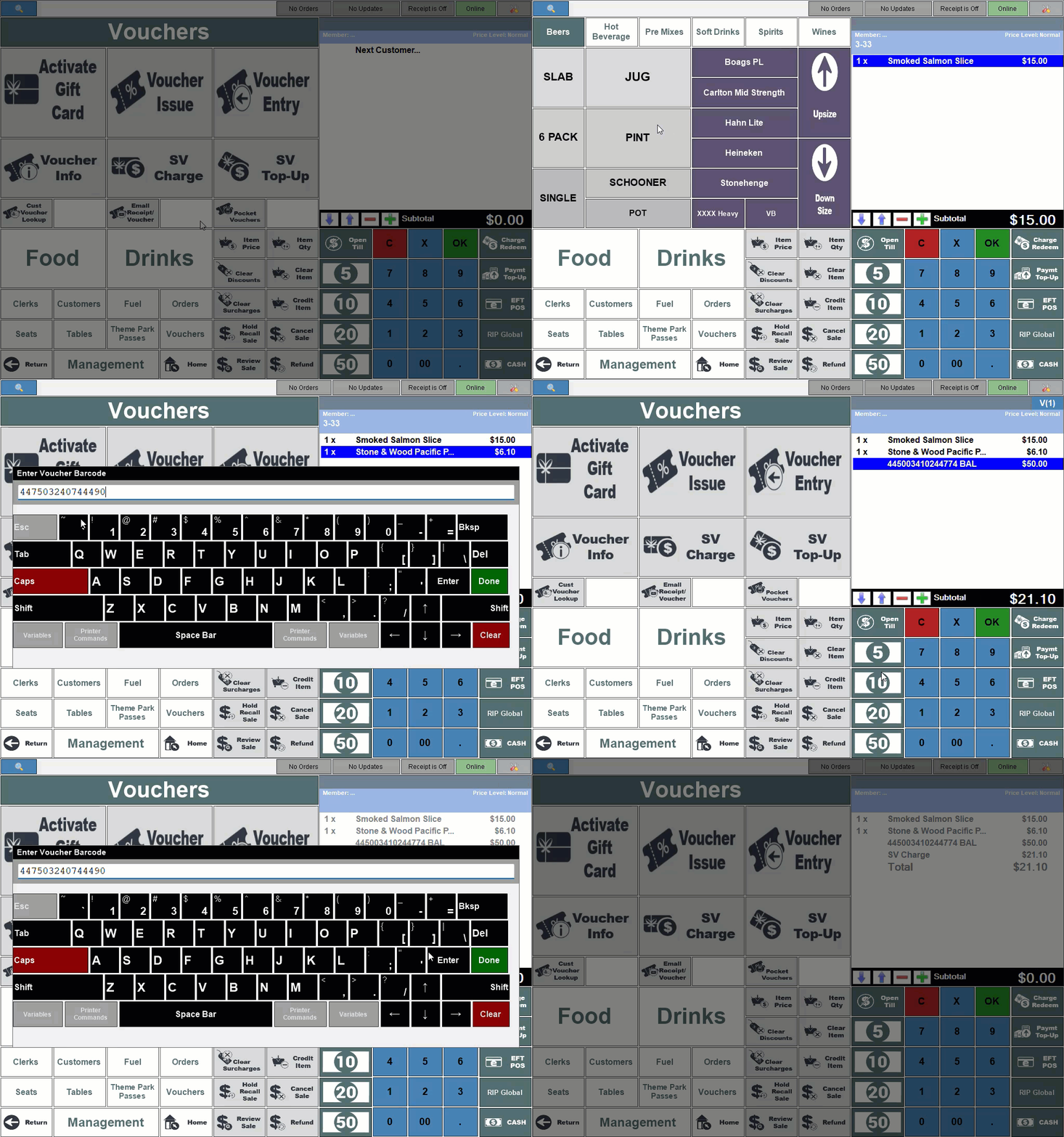
- Select the Voucher Info (#88) POS Key and enter/scan the barcode of the gift card/stored value voucher when prompted.
- If successful, the Voucher Info screen will be displayed showing the remaining balance available on the gift card/stored value voucher.
- Select the Add to Sale option to add the gift card/stored value voucher to the order/sale.
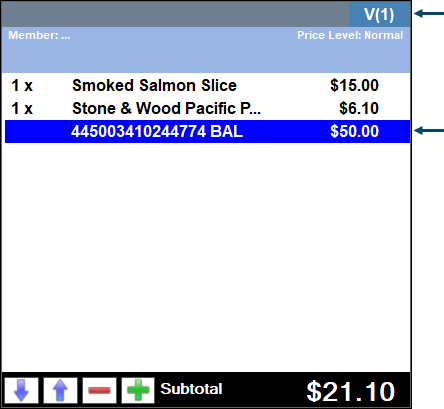
- Select the Stored Value Charge (#246) POS Key.
- The order/sale will be completed if there is NO remaining amount owing.
- The gift card's/stored value voucher 's balance will be reduced by the amount charged/redeemed. This can be checked by selecting the Voucher Info (#88) POS Key again.
Notes...
When a gift card/stored value voucher is scanned/swiped in Touch, card masking must be set up to ensure the
For a gift card/stored value voucher to be recognised in Touch when one is scanned, card masking must be configured. It is recommended that cards are consistent with either character numbers or codes in a format recognisable with card masking.
End of article ▲