
This outlines the How To Change The Category Of An Item/Product using the Category Change (#123) POS Key.
How To? ▲ ▼
How To Change The Category Of An Item/Product? ▲ ▼
- In Touch:
- Select the Category Change (#123) POS Key:
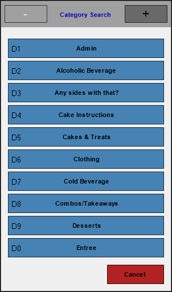
- If configured with the <<SELECT AT TOUCH>> option selected, then select a Category from the Category Search prompt.
-
- If configured with a Category selected, for example, Mains. Then no further action is required. The next item/product added to the sales grid will have their Category changed to the pre-selected Category.
- Add an item/product to the sales grid.
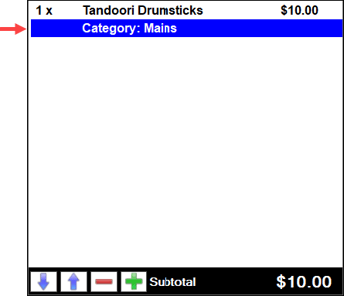
- The text Category: Category name will be added as an instruction to the item/product. For example:
End of article ▲