
This outlines How To Assign A Booking Name / Flag / Tent # To An Order / Sale using the Booking Name / Tent (#39) POS Key in Touch.
How To? ▲ ▼
In Touch, do as follows:
- Add items/products to the sales grid.
- Select the Booking Name / Tent (#39) POS Key to display either a numeric or alpha-numeric keypad prompt. This will depend on the configuration of the POS Key's settings.
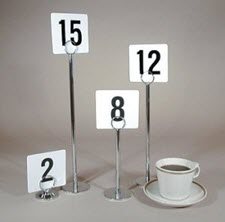
- Enter either the name of the patron, a pager number, a seat number, a Table number or a Table flag/stand/tent number.
Notes ...
A maximum of 11 digits can be entered as a Tent #. For example, a mobile phone number.
- Select the Done option. This can be either the name of the Customer, a pager number, a seat number, a table flag/stand number, a tent number, etc.
- Complete the order/sale.
End of article ▲