
This outlines How To Activate A Gift Card / Stored Value Voucher using the Activate Gift Card (#230) POS Key in Touch.
How To? ▲ ▼
Gift Cards/Stored Value Vouchers can be either:
Non Pre-Coded Cards ▲ ▼
In Touch, do as follows:
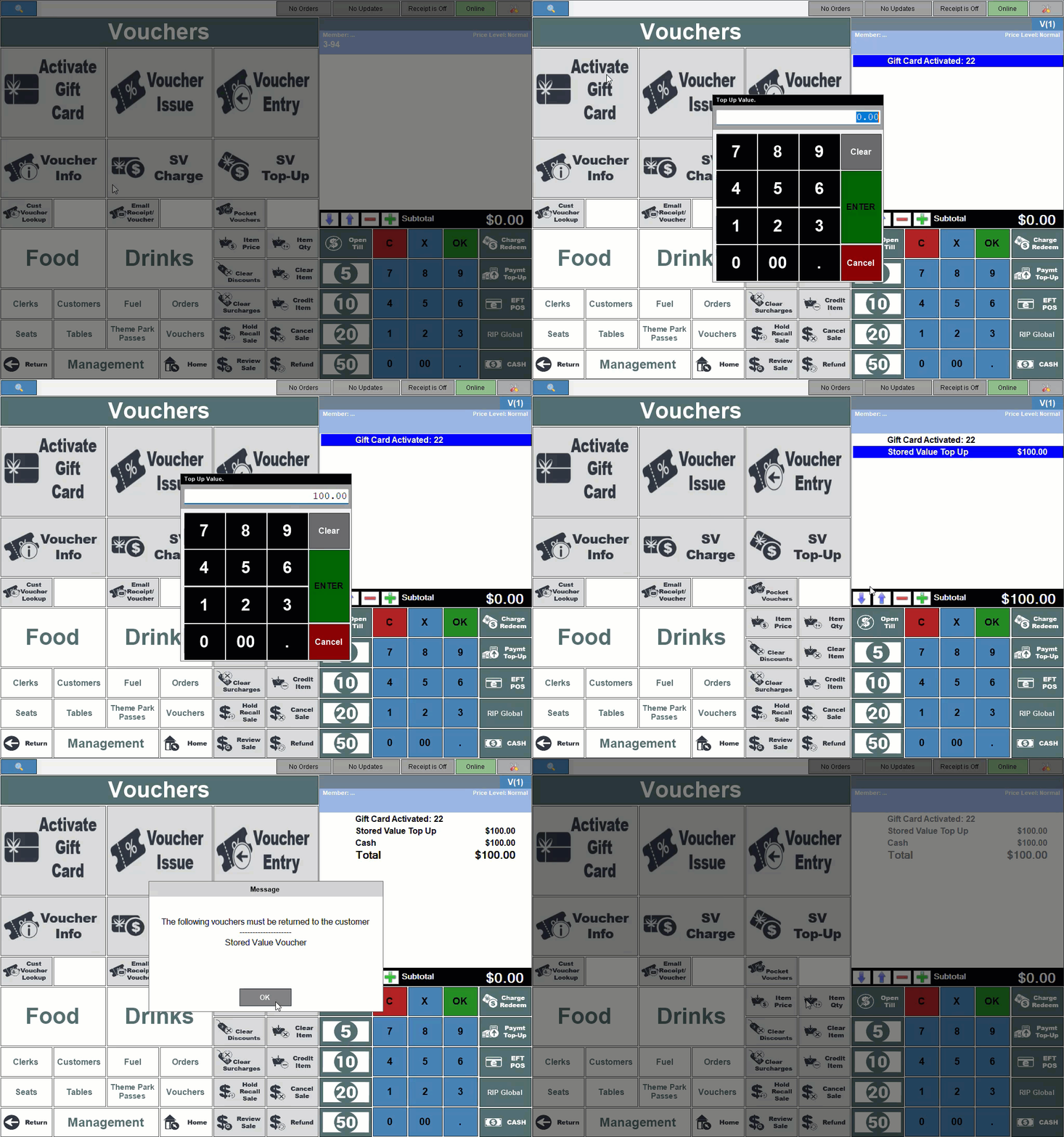
- Select the Activate Gift Card (#230) POS Key, to display the available Gift Cards/Stored Value Vouchers.
- From the Vouchers listed, select the Stored Value Voucher that does NOT have a preset value.
- Enter the value to be entered. This is only required for Top Up type Gift Cards/Stored Value Vouchers.
- Complete the sale of the Gift Card/Stored Value Voucher.
Pre-Coded Cards ▲ ▼
Pre-coded Gift Cards/Stored Value Vouchers have a code/number (visible on the card) already assigned to them. The code/number can be mapped to the Gift Card/Stored Value Voucher in Touch at the time the Gift Card/Stored Value Voucher is sold (activated).
Notes...
Card Masking that supports the looking up of Gift Cards/Stored Value Vouchers will need to be configured. Refer HERE for more information. Once Card Masking has been configured, map it to the appropriate Stored Value Voucher in Touch.
In Touch, do as follows:
- Select the Activate Gift Card (#230) POS Key, to display the available Gift Card/Stored Value Vouchers.
- From the Vouchers listed, select the one that is to be activated (issued).
- A prompt, to enter text to map to the Voucher being issued, is displayed. Enter the code/number that is pre-coded on the Gift Card/Stored Value Voucher being activated (issued).
- If a Top-Up type Stored Value Voucher was selected, then at the Top Up prompt enter the value the patron wants to place on the Gift Card/Stored Value Voucher.
- Complete the sale of the Gift Card/Stored Value Voucher.
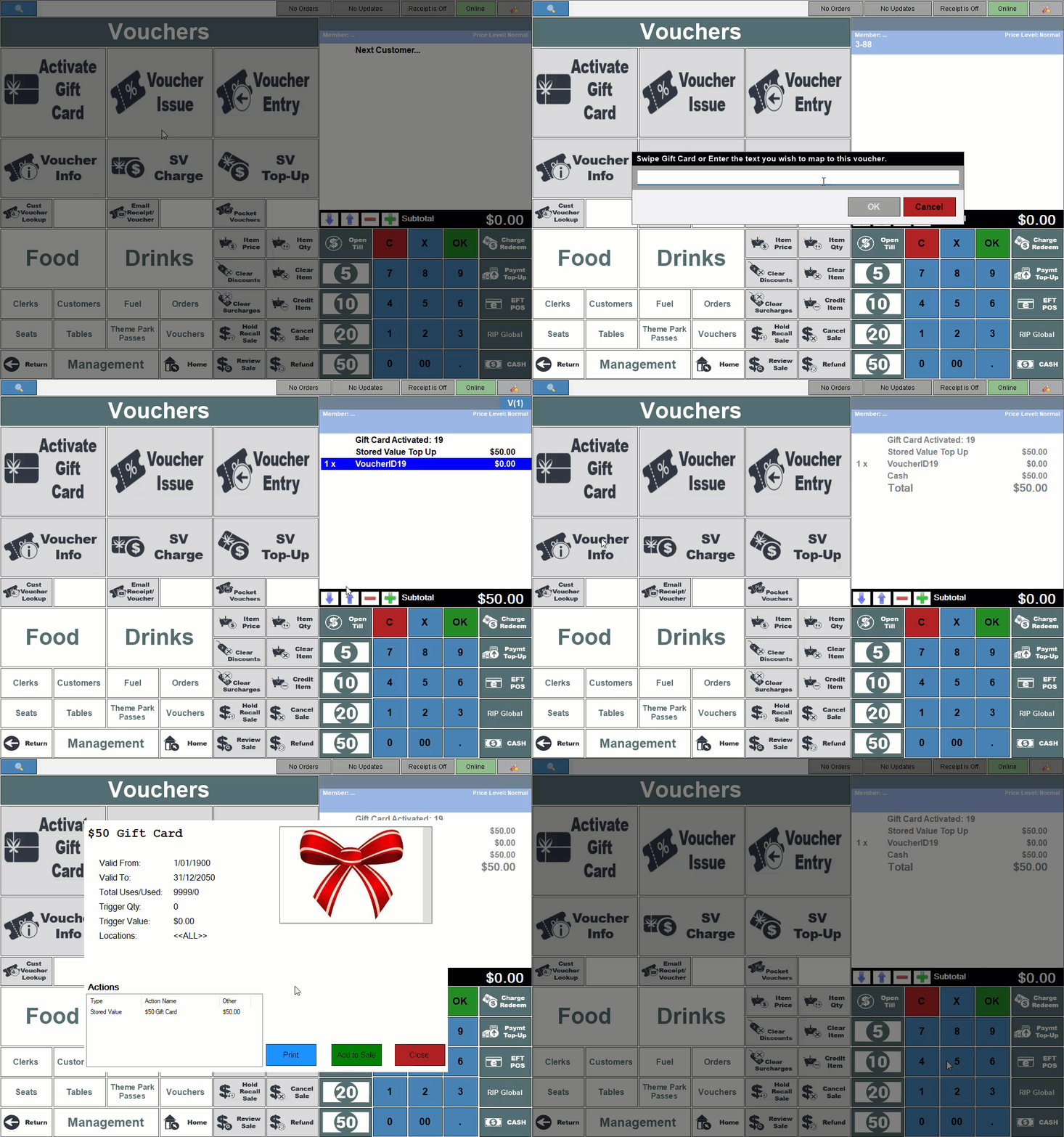
Example of activating a Preset Stored Value Voucher and mapping it to a pre-coded Gift Card/Stored Value Voucher.
End of article ▲