
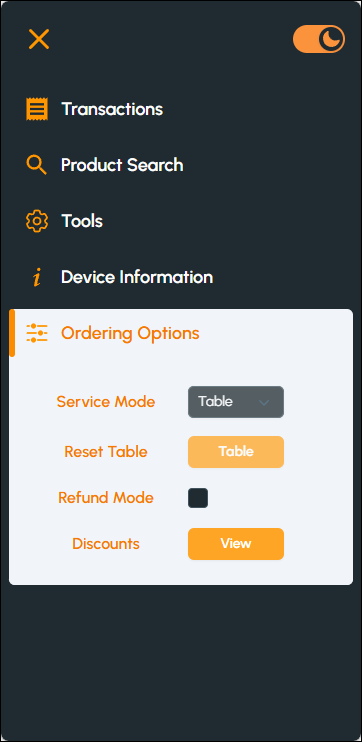
To access, select the Ordering Options menu option from the Touchmini Menu. Used to change/enable the modes of operation for ordering. For example, change the mode of Service and/or place the device into Refund mode.
- Service Mode - Select from the drop-down list of available modes, the mode to change to. Refer HERE for more information.
- Reset Table - Select to reset the currently selected table. Resetting a Table will remove all items from the Table (both submitted and unsubmitted items) and close the Table without payment. Refer HERE for more information.
- Refund Mode - Select to place the Touchmini device into refund mode. This will ensure that the Items/Products added to an Order, will be refunded. Refer HERE for more information.
- Discounts - Select to open the Available Discounts screen to view and apply a Discount. Refer HERE for more information.
End of article ▲