
This outlines How To View Transaction Information in TouchMini.
Subjects ▼
How To View Transaction Information? ▲ ▼
Do as follows:
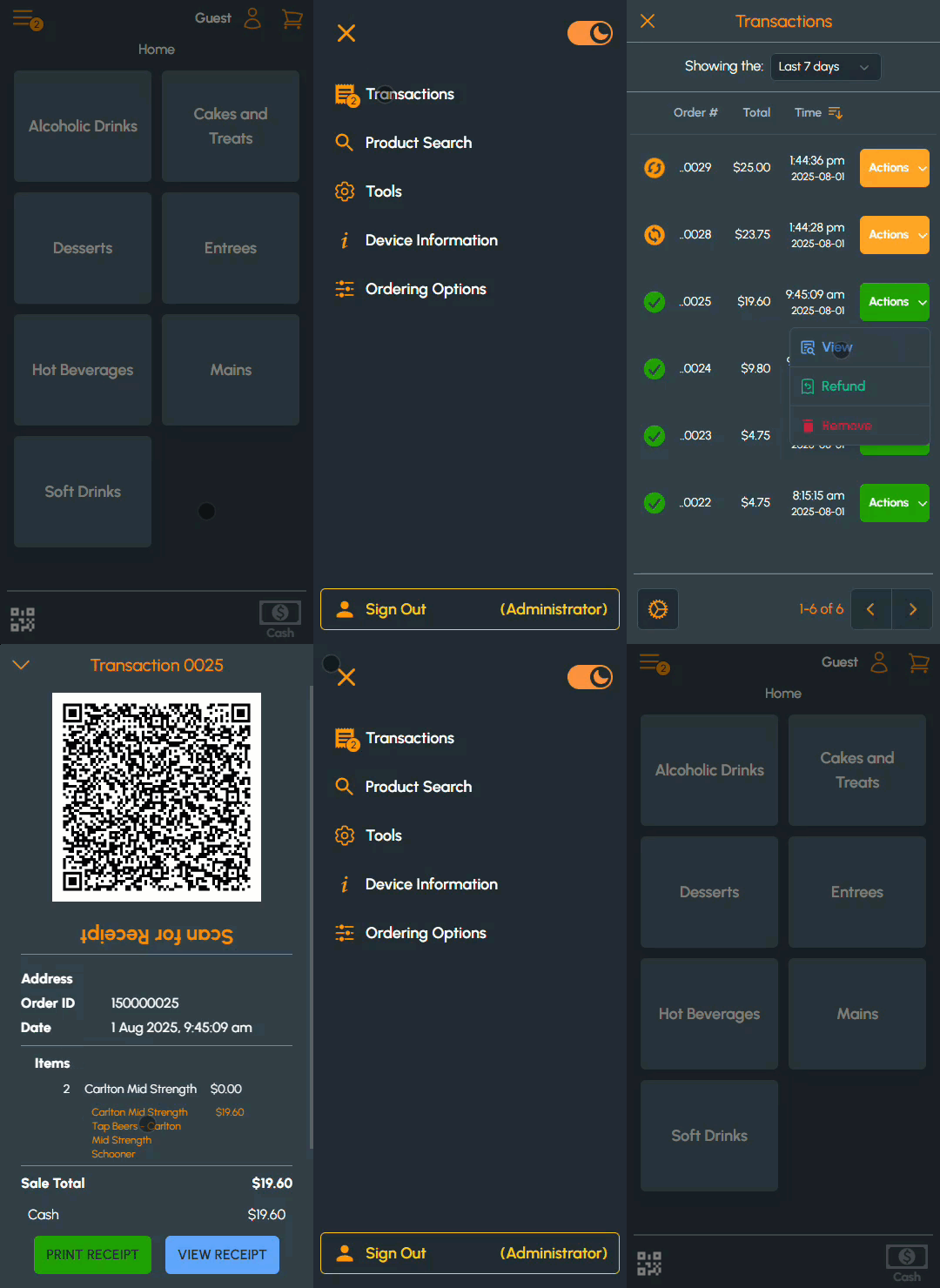
- Select the Menu icon in the top left-hand corner of the screen. Refer HERE for more information.
- Select the Transactions option to open the Transactions menu option to action/view the transactions transacted to date.
- Select either the Last 7 days or Last 14 days options from the Showing the drop-down filter in the header section of the screen.
- Expand the Actions drop-down list and select the View option to open the Transaction screen.
End of article ▲