
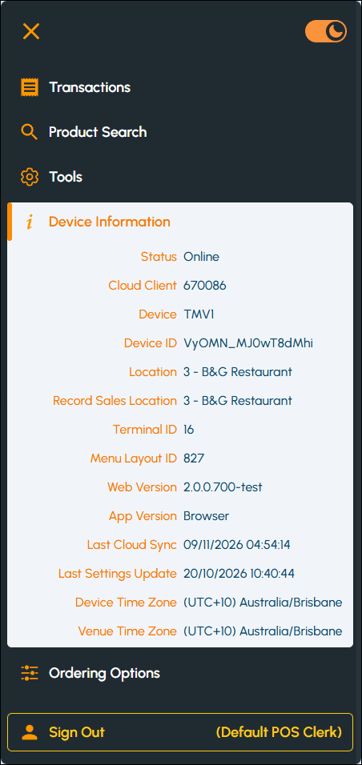
To access, select the Device Information menu option from the Touchmini Menu. Used to view information about the Touchmini device. For example, information that can be viewed is Status, Cloud Client, Device, Device ID, Location, Record Sales Location, Terminal ID, Menu Layout ID, Web Version, App Version, Last Cloud Sync date/time, Last Settings Update date/time, Device Time Zone and Venue Time Zone. Refer HERE for more information.
IMPORTANT
When the Device Time Zone and the Venue Time Zone display different values, the Touchmini operator will be warned with a warning similar to the following: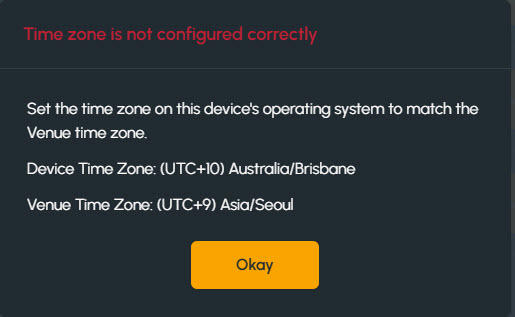
To exit the Device Information menu option, select the Device Information option again and the Device Information screen will collapse.
End of article ▲