

This outlines the How To Select A Preferred Language. Refer HERE for more information.
How To? ▲ ▼
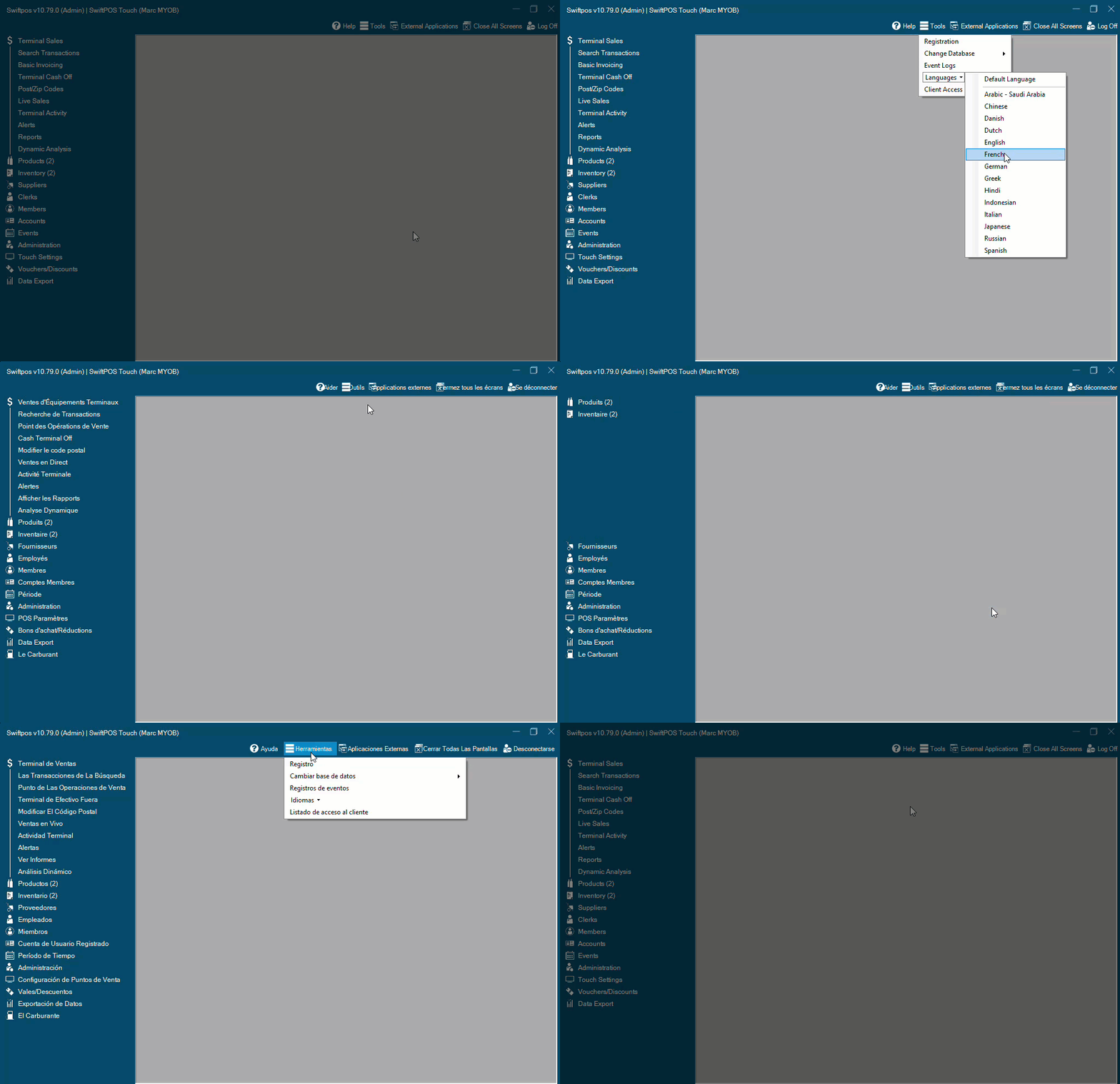
Languages in Swiftpos can be selected as follows in:
Back Office ▲ ▼
- Select the Languages option in the Tools menu in the Toolbar.
- A list of currently supported languages will be displayed.
- Select the language that is preferred.
- Once selected, Back Office will be displayed in the selected language, or it will default to English when translations are not available.
Orderaway ▲ ▼
- Navigate to the System menu in Venue Manager and select the Venue Setup option.
- Select the Language tab.
- Select the language that is to be the default for the Venue from the Default Language options.
- Select the languages that will be available for selection as an alternate language from the Available Languages options.
- Select the Save Language Settings option to save the changes.
Touch ▲ ▼
- Select the Languages option in the Toolbar.
- A list of currently supported languages will be displayed.
- Select the language that is preferred.
- Once selected, Back Office will be displayed in the selected language, or it will default to English when translations are not available.
End of article ▲