![Swiftpos_White.png]](https://help.swiftpos.com.au/hs-fs/hubfs/Swiftpos_White.png?height=40&name=Swiftpos_White.png)
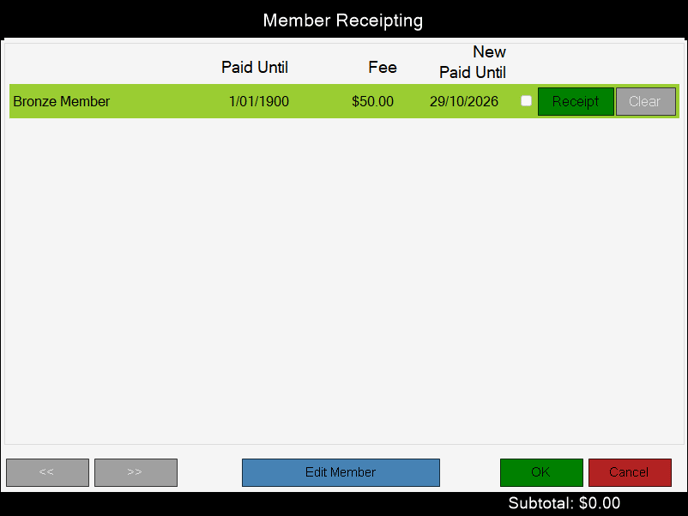
Accessed in Touch from various screens. Used to process the receipt of membership fees owing by Customers/Members.
Sections ▲ ▼
Grid Section ▲ ▼

Lists the membership fees that are currently outstanding for the Customer/Member, along with their Paid Until date, the Fee amount, the New Paid Until and options to select (Receipt option) the membership fee for receipting or unselect (Cancel option) it from being receipted.
Footer Section ▲ ▼

- <</>> - Select to navigate back and forth through the screens of membership fees to locate the fee to be receipted.
- Edit Member - Select to open the Customer Details screen to edit the Customer's/Member's details as required.
- OK - Select to add the Receipting amount selected to an Order/Sale and exit the screen.
- Cancel - Select to exit the screen without saving the changes.
End of article ▲