![Swiftpos_White.png]](https://help.swiftpos.com.au/hs-fs/hubfs/Swiftpos_White.png?height=40&name=Swiftpos_White.png)
Subjects ▲ ▼
Screens ▲ ▼
Add New Interface Screen ▲ ▼
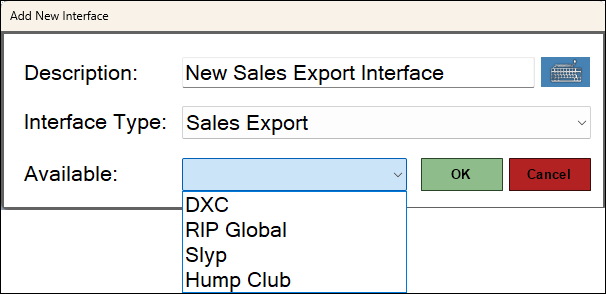
To access, select the Add New or Edit button in the Interface List menu option. Used to configure/manage Sales Export type Interfaces in Touch.
- Available - Select from the drop-down list one of the following:
- DXC - Select to open the Sales Interface screen.
- RIP Global - Select to open the Sales Interface screen.
- Slyp - Select to open the Slyp Interface screen.
- Hump Club - Select to open the Sales Interface screen.
Sales Interface Screen ▲ ▼
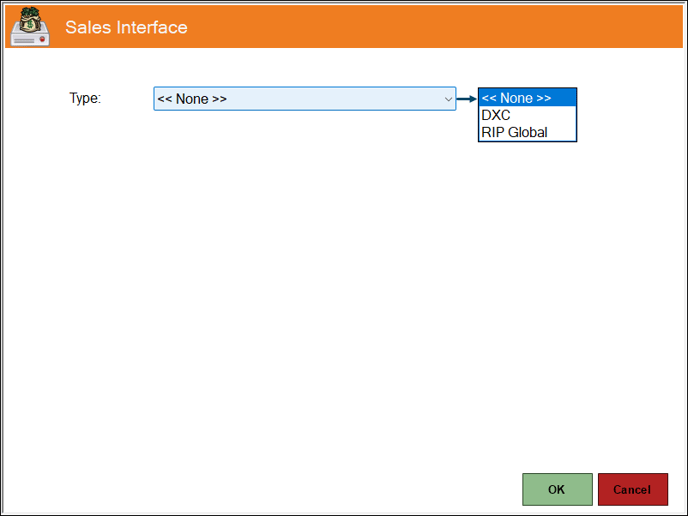
To access, select either the DXC or RIP Global option from the Available drop-down list and select OK. Used to add either the DXC or RIP Global Sales Interface.
- Type - Select from the drop-down list the type of Sales Interface to be added.
End of article. ▲