![Swiftpos_White.png]](https://help.swiftpos.com.au/hs-fs/hubfs/Swiftpos_White.png?height=40&name=Swiftpos_White.png)
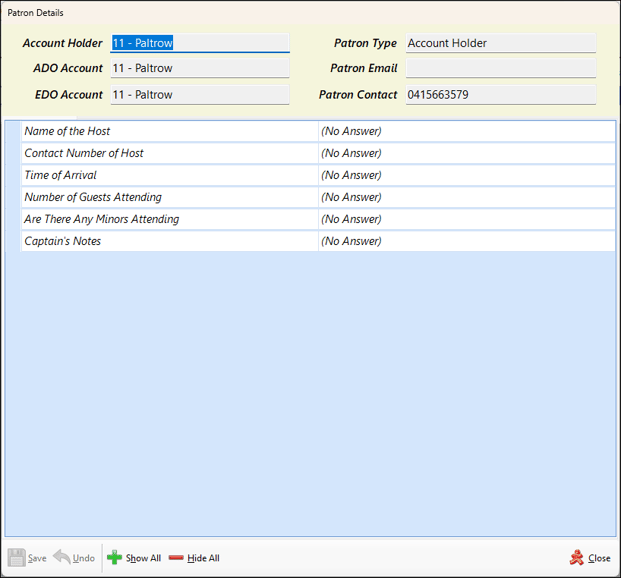
To access, select the Patron Details option in the footer section of the Event Session screen. Used to display the details and display/edit answers to questions Account Holder patrons provide when they are confirming their reservation for an Event.
Sections ▲ ▼
Patron Details Section ▲ ▼
Displays the Account Holder, ADO Account member, EDO Account member, Type, Email and Contact number.
Q & A Section ▲ ▼
Displays a list of questions to be asked of Account Holder patrons when they are confirming their reservation for an Event. The answers given are entered here. Refer HERE for more information.
Footer Section ▲ ▼
- Save - Select to save the changes.
- Undo - Select to undo the changes.
- Show/Hide All - To be continued ...
- Close - Select to exit.
End of article ▲