
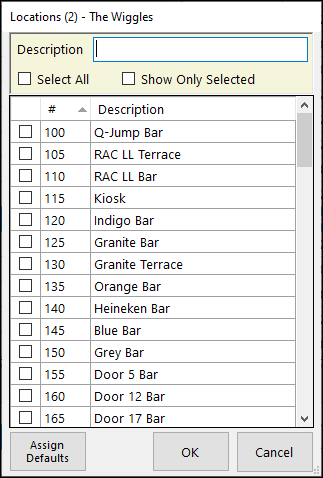
To access, select a cell in the Locations column in the Events Session section. Used to assign/unassign Locations to an Event Session.
Filters Section ▲ ▼
- Full/Partial Texts – The filter of this type is Description. Enter a full or partial text, to search the available Locations and return only those that contain an occurrence of the text entered.
- Select All - Select to ensure all Locations displayed in the grid are selected.
- Show Only Selected - Select to ensure only selected Locations displayed in the grid.
Footer Section ▲ ▼
- Assign Defaults - Select to ensure the Event Type's Default Locations associated with the Event Type are assigned.
End of article ▲