
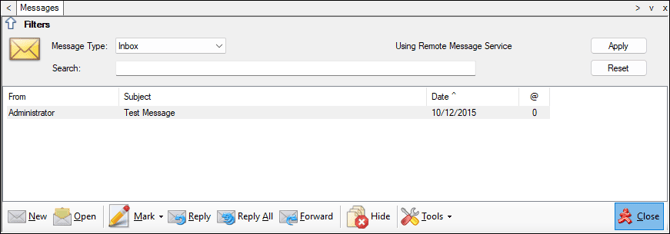
To access, select the Messages option in the Device Settings menu in Back Office. Used to manage messages sent between Touch devices and/or Back Office.
Sections ▲ ▼
Header Section ▲ ▼

-
Message Type - Select from the following drop-down list:
-
Inbox
-
Sent Items
-
Hidden Items
-
- Using Remote Message Service - This will be displayed when Message Service is running. When it is NOT running, the text Message Server Server has stopped will be displayed. In which case, start the Message Service.
- Search - Enter text to search on either the name of the recipient/sender or the subject to limit the number of messages returned in the grid.
- Apply - Select to apply the filters.
- Reset - Select to reset the filters.
Grid Section ▲ ▼
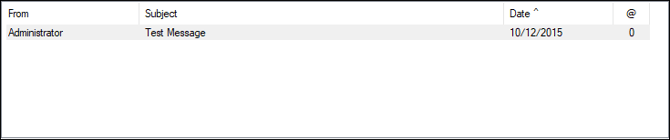
Lists all the Messages for the selected folder, along with their From/To, Subject, Date and number of attachments.
Notes ...
Unread Messages are displayed in bold.
Footer Section ▲ ▼

- New - Select to open the New Message screen and compose a new Message.
- Open - Select to open the selected Message in the New Message screen. Once opened the Message will be marked as read.
- Mark - Select from the following options:
- Mark as Read
- Mark as Unread
- Reply - Select to open the New Message screen and compose a reply Message.
- Reply All - Select to open the New Message screen and compose a reply Message.
- Forward - Select to open the New Message screen and forward the Message.
- Hide/Unhide - Select to move the selected Message into/out of the Hidden Items folder.
- Tools - Select from the following options:
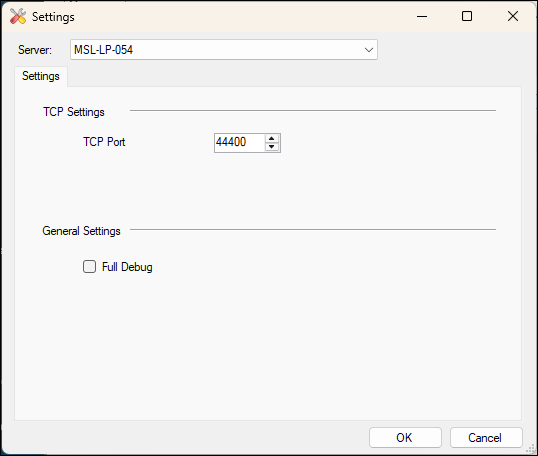
- Options - Select to open the Settings screen below to configure the options available.
- Restart Message Service - Select to restart the Message Service.
- Options - Select to open the Settings screen below to configure the options available.
- Close - Select to exit.
End of article ▲