
Subjects ▲ ▼
About ▲ ▼
What Is It? ▲ ▼
To be continued ...
What To Consider? ▲ ▼
- To be continued ...
When Is It Used? ▲ ▼
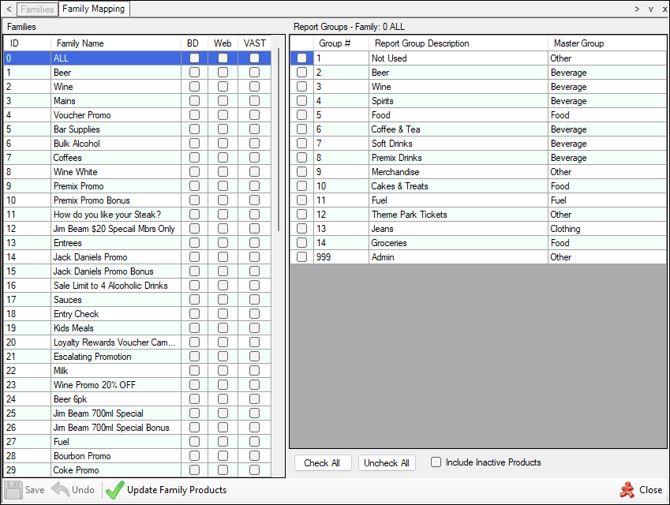
Used to map Families to Report Groups (Product Groups). Mapping Families to Product Groups allows Families to be dynamically updated whenever items/products are added to or removed from Product Groups in Back Office. it functions as a "set and forget" automation layer for Families by alleviating the manual adding/removing of items/products to and from Families.
Screens ▲ ▼
Family Mapping Screen ▲ ▼
To access, refer HERE. Used to map Families to Report Groups (Product Groups). Mapping Families to Product Groups allows Families to be dynamically updated whenever items/products are added to or removed from Product Groups in Back Office. it functions as a "set and forget" automation layer for Families by alleviating the manual adding/removing of items/products to and from Families.
Notes ...
The Assign Reporting Groups to Families Clerk Group Permissions option will need to be selected Family Reporting group Mapping is in Clerk Security under Products>Families which will need to be enabled then it will be in main menu under Products just below Families
Example
Family - All-Alcohol
Mapped To Product Groups - Beer, Wine, Spirits, RTDs
Result - Any items/products assigned to these Product Groups are automatically included in the All-Alcohol Family.
Sections ▲ ▼
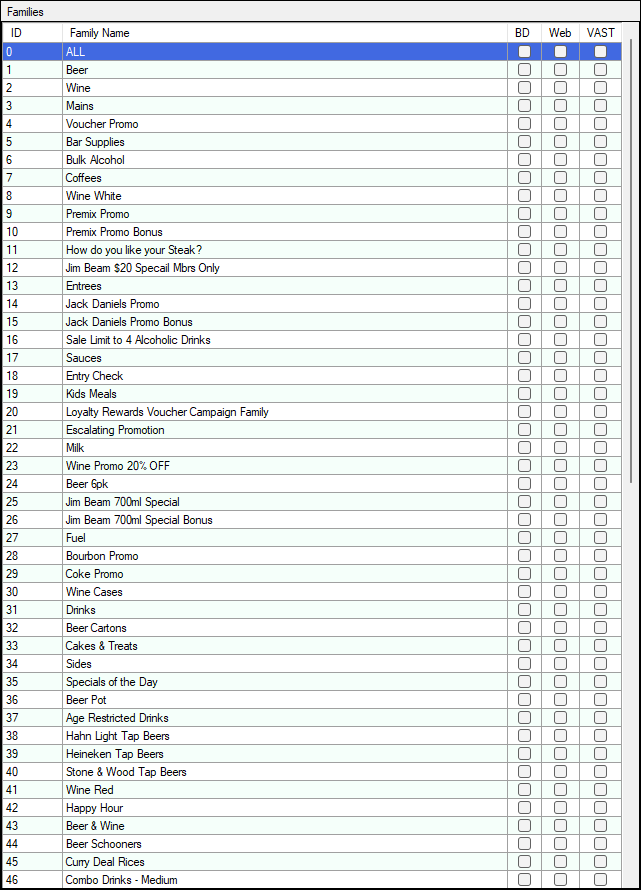
Families Section ▲ ▼
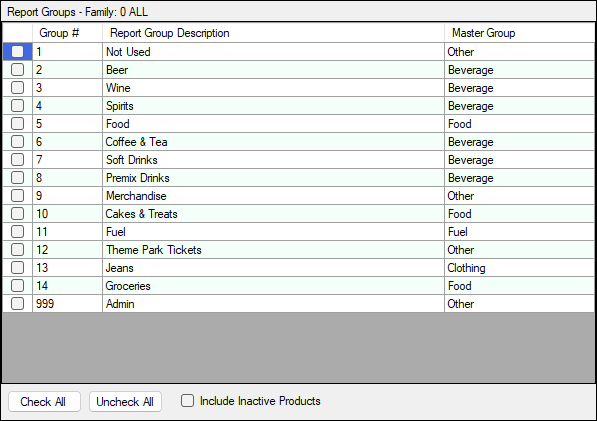
Report Groups Section ▲ ▼
Footer Section ▲ ▼

End of article ▲