
This outlines the information and the steps that are needed to familiarise oneself with the eBet interface in Service Monitor.
Subject ▲ ▼
Screens ▲ ▼
EBet Member Synchronisation Screen ▲ ▼
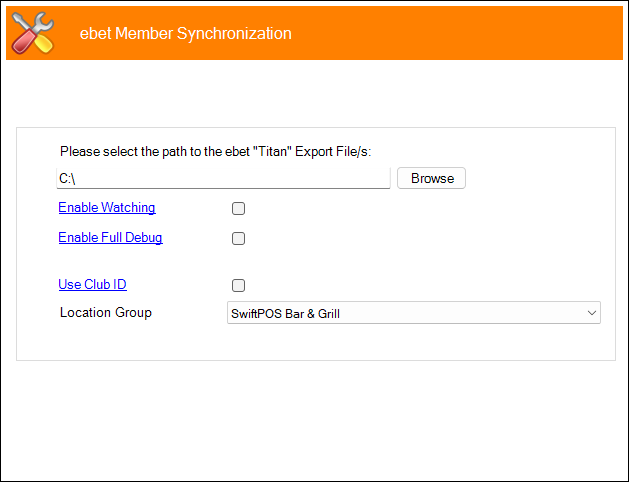
To access, refer HERE for more information. Used to configure the settings required for the eBet interface.
- Please select the path to the Barrel Promotions File/s - Displays/Select the path to the Barrel Promotions File(s).
- Enable Watching - Select to enable the Service Monitor to watch for activity.
- Enable Full Debug - Select to enable. This should only be enabled when recommended.
- Use Club ID - Select to ensure the Club ID setting configured HERE is used. For example, when a member transaction file is read in, it checks to see if this option is enabled. If it is, then it will prefix the Member number with the Club ID configured HERE pad is out with zeros to the Card Length specified HERE. So, if the Club ID was configured with a value of 1796 and the Card Length was configured with a value of 6, and the Member number imported was 1001, then the resultant Member number would be 1796001001 with an external sync going from 31 to 179631.
End of article ▲