
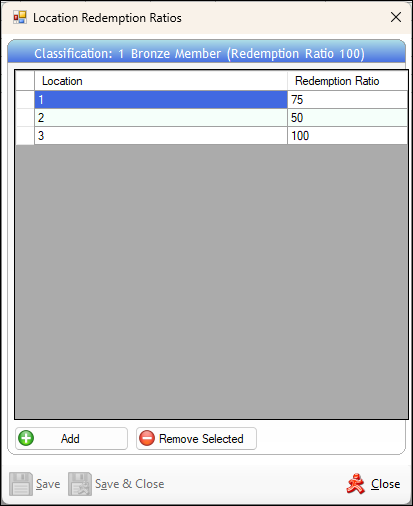
Used in Back Office to assign redemption ratios to Locations.
Sections ▲ ▼
Header Section ▲ ▼

Displays the currently selected Member Classification and it's redemption ratio.
Grid Section ▲ ▼
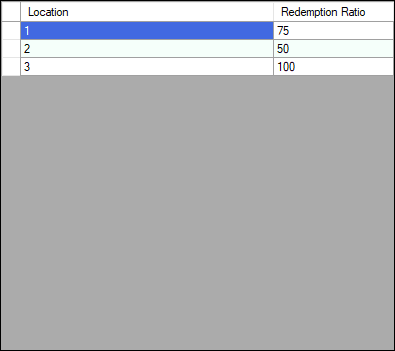
Lists the Locations that have redemption ratios configured.
- Location - Displays the ID of the Location.
- Redemption Ratio - Displays/Enter the value that represents the default redemption ratio for the selected Location.
Grid Footer Section ▲ ▼

- Add - Select to open the Search Locations screen to select a Location to add to the grid.
Notes ...
A default Redemption Ratio of 100 will be used when adding new Locations. If a Redemption Ratio is not specified for a Location, the Redemption Ratio assigned to the Classification will be used.
- Remove - Select to remove the selected Location from the grid.
Footer Section ▲ ▼

- Save - Select to save the changes.
- Save & Close - Select to save the changes and exit.
- Close - Select to exit.
End of article ▲