
This outlines the How To Add Barcodes From Product Codes.
The content is targeted at Resellers and Swiftpos Venue administrators who have a sound knowledge of and experience with Swiftpos. For further information or assistance, please contact your Swiftpos Reseller or Swiftpos Support.
Subjects ▲ ▼
About ▲ ▼
What Is Required? ▲ ▼
- Before embarking on this process, ensure a backup is made of the Swiftpos database. Refer HERE for more information.
What To Consider? ▲ ▼
- Only those Items/Products that have a numeric Product Code of 8 characters or longer and do not have a Barcode assigned, will be considered when generating Barcodes from Product Codes.
When Is It Used? ▲ ▼
Used to ensure Items/Products that do not have an associated Barcode will be assigned one using their Product Code to generate one.
How To? ▲ ▼
- Review About - Ensure the steps outlined HERE are addressed.
- Add Barcodes From Product Codes?
How To Add Barcodes From Product Codes? ▲ ▼
In Back Office, do as follows:
- Navigate to and select the Add Barcode from Product Code option in the SQL Tools menu.
- This will display the following prompt:
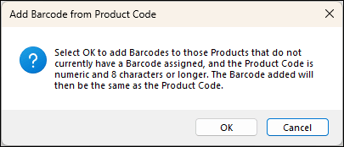
- Select OK to continue or select Cancel to abort the process.
- Once completed, a prompt similar to the one below will be displayed:
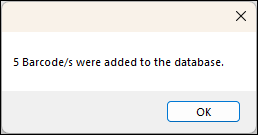
- Select OK to close the prompt and complete the process.
End of article ▲