
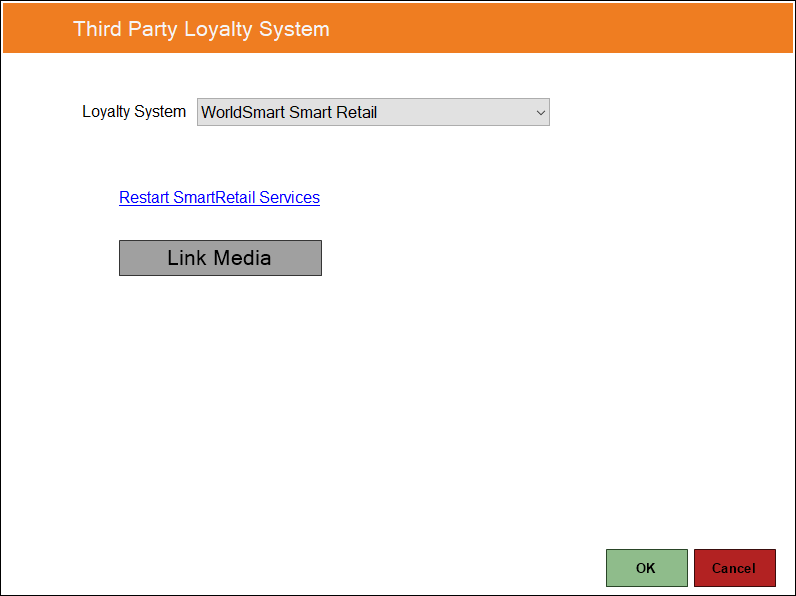
To access, select the WorldSmart Smart Retail option in the Loyalty System drop-down list.
Used to configure/view the WorldSmart Smart Retail Interface in configuration in Touch.
- Link Media - Select to open the Loyalty Media Linking screen (below) to add links, so that WorldSmart Media Types can be linked to Medias in Back Office.
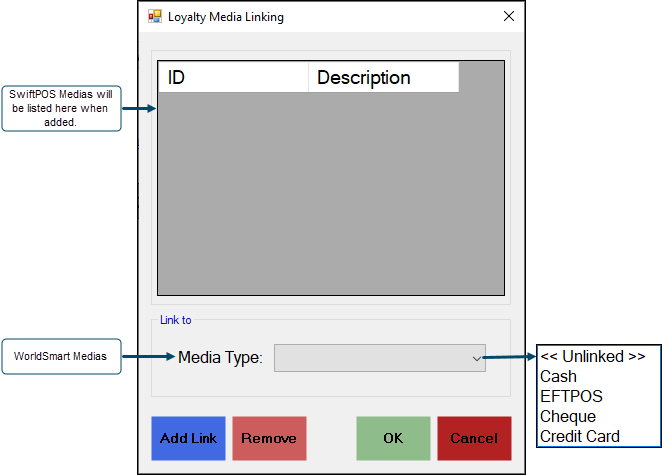
Select a WorldSmart Media from the Media Types drop down list, and then select the Add Link button to link it to a swiftpos Media.
Notes ...
The default Media of Cash will be used for any Medias used that are NOT listed.
End of article. ▲