
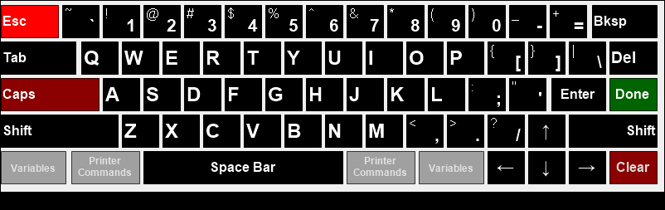
The Touch Keyboard is displayed at the bottom of various Touch screens and is used to enter text into fields requiring data entry in Touch. It is designed to ensure Touch terminals can operate without a physical keyboard being available.
Noteworthy
- Done - Select to accept the Product currently selected in the grid and return it's PLU as the value to be entered into the Link Item field.
- Esc - Select to cancel and exit the screen.
- Printer Commands - Refer HERE for more information.
- Variables - Refer HERE for more information.
End of article ▲