
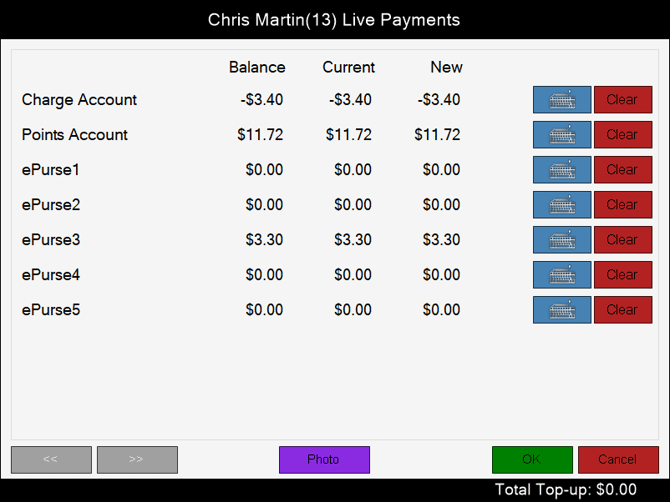
Accessed in Touch from various screens. Used to make Payments/Top-ups into a Customer's/Member's account.
Sections ▲ ▼
Grid Section ▲ ▼
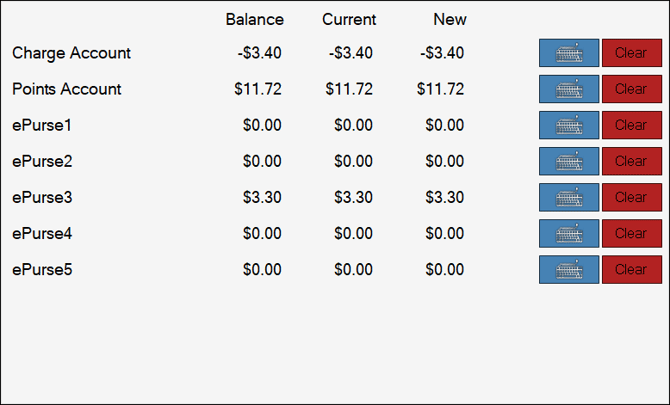
Lists the accounts for a Customer/Member along with their account Balance, Current balance and New Balance.
- Keyboard icon - Select to open the Keyboard screen and enter the amount to be paid into the selected account.
- Clear - Select to remove the amount entered.
Footer Section ▲ ▼

- <</>> - Select to navigate back and forth through the screens of membership fees to locate the fee to be receipted.
- Photo - Select to view an image of the Customer/Member. To remove the displayed image, select the image.
- OK - Select to process the payment/top-up.
- Cancel - Select to exit the screen without processing the payment/top-up.
End of article ▲