
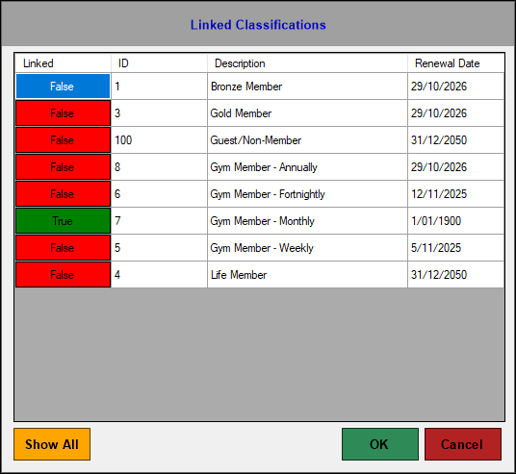
Accessed in Touch from various screens. Used to manage the Member Classifications linked to a Customer Member.
Sections ▲ ▼
Grid Section ▲ ▼
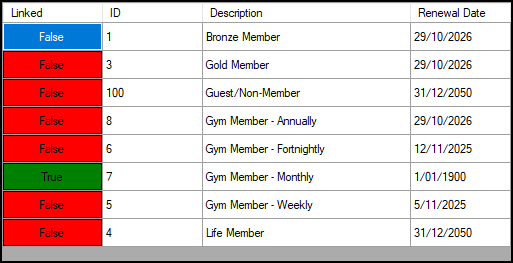
Lists the Member Classifications that are currently available along with their ID, Description and Renewal Date. Used to manage the Classifications linked to a Customer Member.
- Linked - Select to toggle between True/False. When set to True the associated Classification will be linked to the current Customer/Member.
- ID/Description - Displays the Classification's ID and Description.
- Renewal Date - Displays the date the selected Member is required to renew their membership.
Notes ...
A Renewal Date of '01/01/1900' indicates the Classification has been linked to the Member, but no fees have ever been receipted.
Footer Section ▲ ▼

- Show ALL/Hide Inactive - Select to show/hide all inactive Classifications.
- OK - Select to save the changes and exit.
- Cancel - Select to exit without saving changes.
End of article ▲