
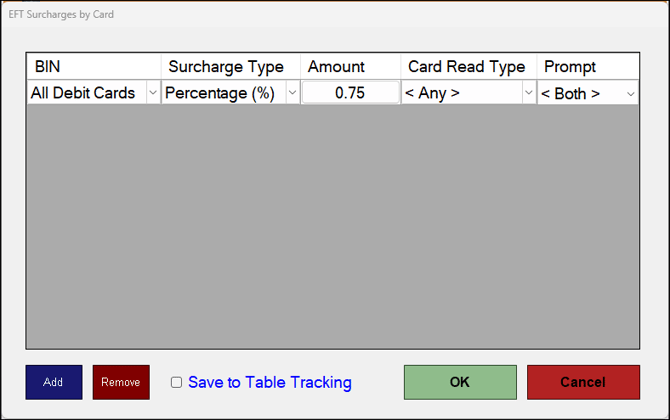
To access, select the Surcharges option when displayed in the Touch POS EFTPOS peripheral settings screen. The Surcharges option is only available to selected EFTPOS peripherals. Used to manage EFT card surcharges.
Sections ▲ ▼
Grid Section ▲ ▼
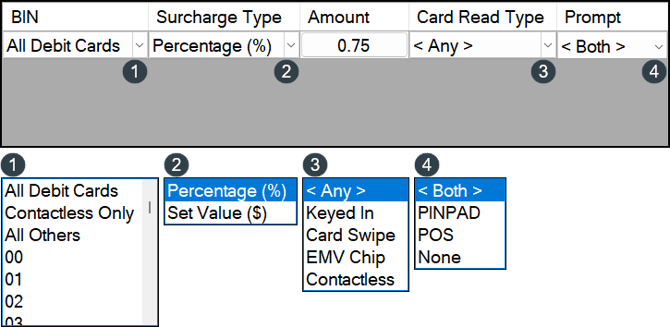
Lists the card groups (BINs) surcharges can be applied to, along with their Surcharge Type, surcharge Amount, Card Read Type and Prompt choice.
Footer Section ▲ ▼

- Add - Select to add a row to the grid.
- Remove - Select to remove the selected row from the grid.
- Save to Table Tracking - Select to save to the list of card groups to the Table Tracking database of the Table Tracking Master Touch POS device. This will ensure other Touch POS devices will be able to read the saved list.
- OK - Select save the changes and exit.
- Cancel - Select to exit the screen without saving the changes.
End of article ▲