
This outlines How To Top-up A Gift Card / Voucher using the Stored Value Top Up (#86) POS Key.
How To? ▲ ▼
Firstly, do as follows:
In Touch, do as follows:
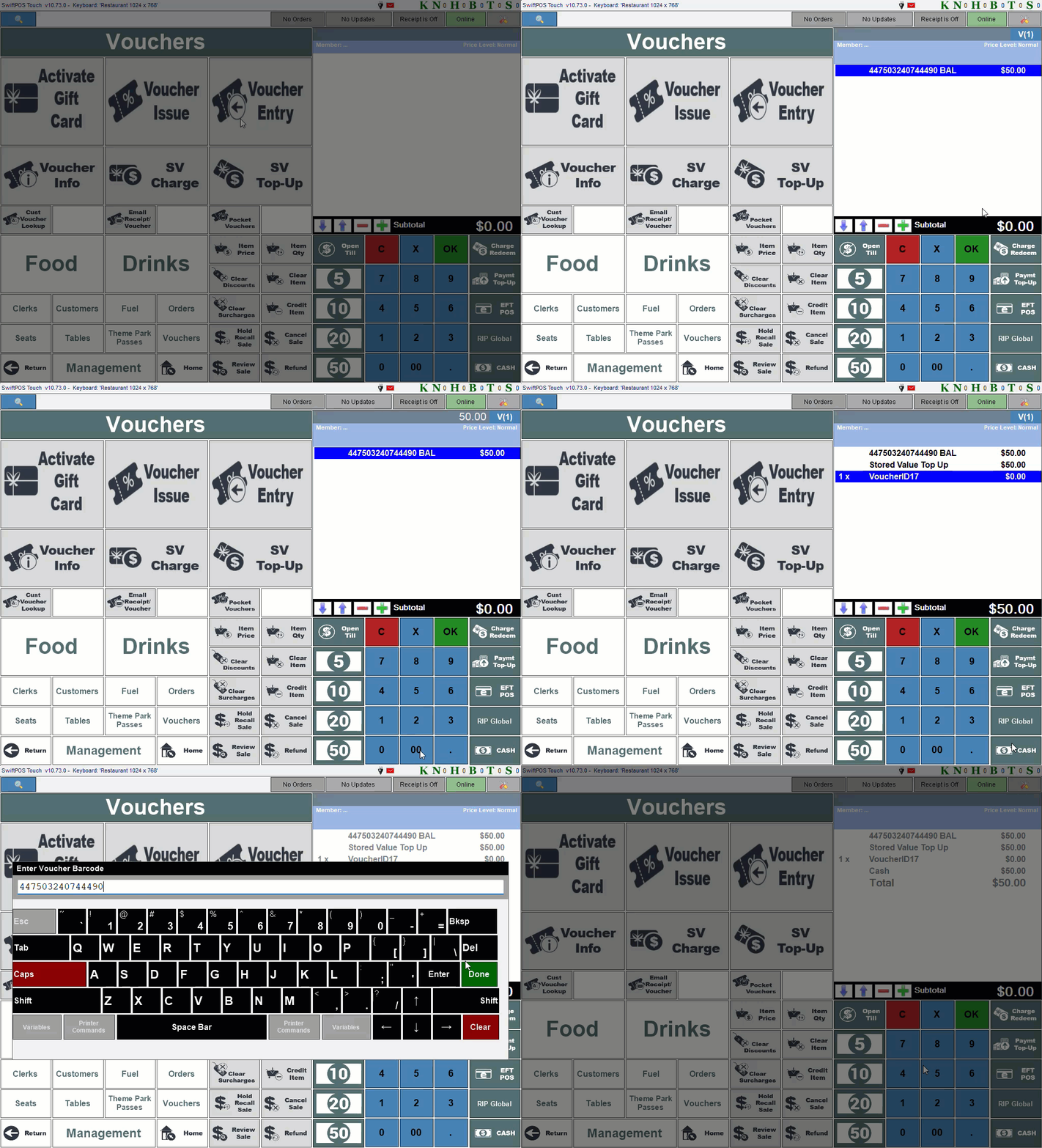
- Scan/enter a gift card/stored value voucher. Refer HERE or HERE for more information.
- If a PIN is required, at the PIN Required prompt, enter the PIN.
- The gift card/stored value voucher will be added to the sales grid and its remaining balance (value) will be displayed.
- Enter the amount to be added to the balance of the gift card/stored value voucher using the numeric keypad.
- Select the Stored Value Top Up (#86) POS Key.
- Complete the sale.
- The gift card's/stored value voucher's balance will be increased by the amount entered. This can be checked by selecting the Voucher Info (#88) POS Key again.
Notes ...
If the value of the gift card/stored value voucher exceeds the Stored Value Limit, the following message will be displayed, and the gift card/stored value voucher value will not be topped up.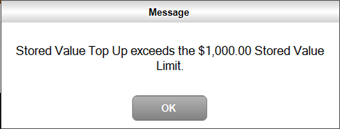
End of article ▲