
This outlines How To Use The Category Prompt POS Key in Touch.
Subjects ▲ ▼
About ▲ ▼
What Is Required? ▲ ▼
- Ensure the Category Prompt (#113) POS Key has been added to the appropriate Keyboard Layout using the Designer. Refer HERE for more information.
How To Use The Category Prompt POS Key? ▲ ▼
In Touch, do as follows:
- Select the Category Prompt (#113) POS Key. For example, the POS key captioned as Entrees.
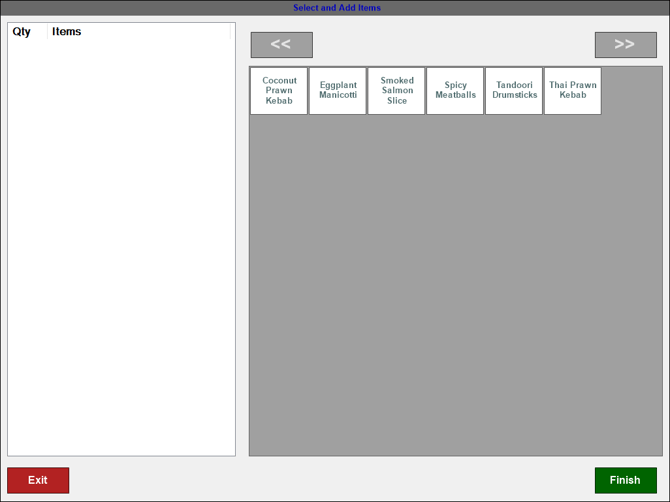
- A menu of items/products assigned to the Entrees Category will be displayed:
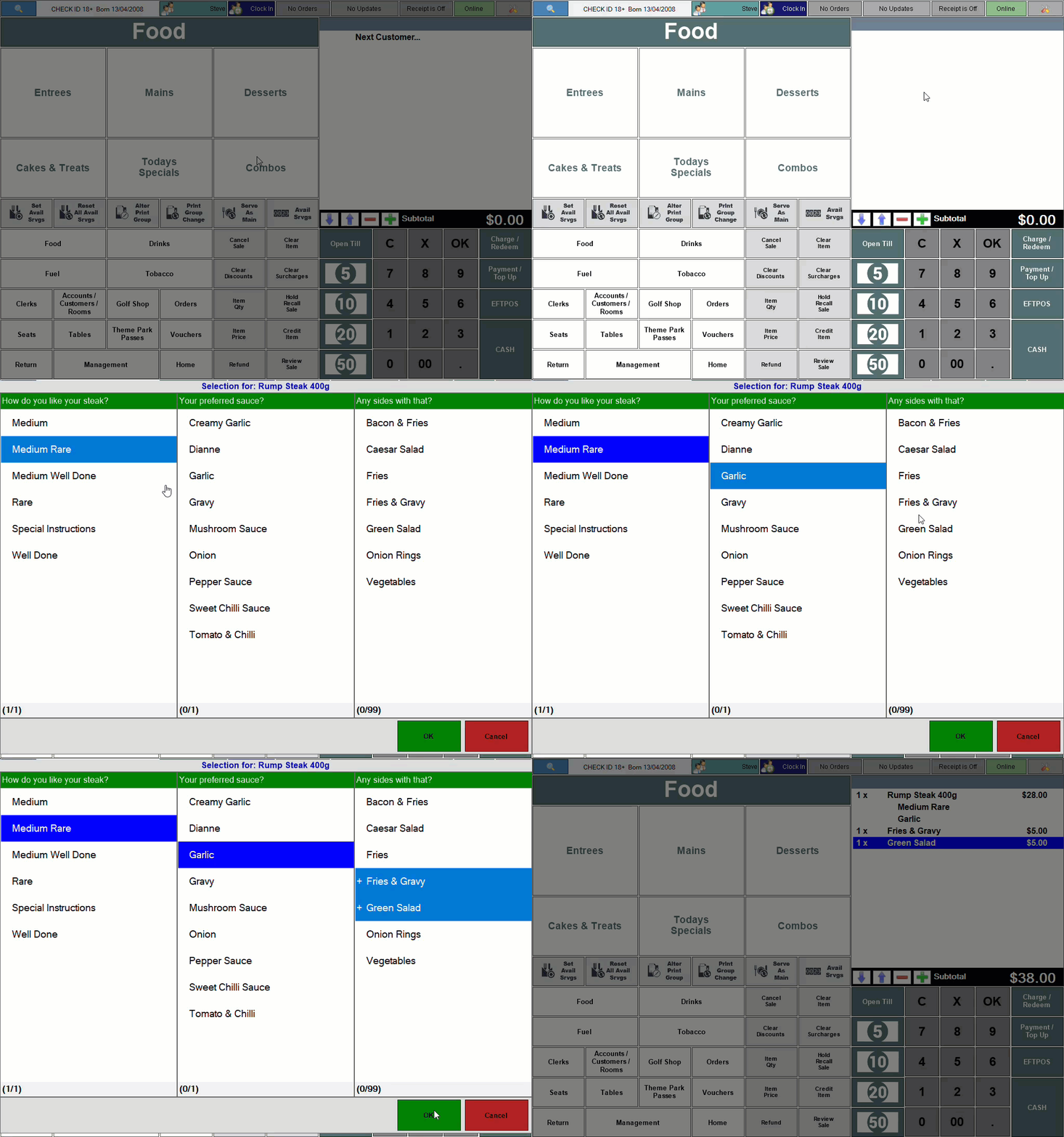
- If the Category Prompt (#113) POS Key was configured to include items/products configured with Post linking (that is, to provide the selection of cooking instructions, sauces, sides, etc.) then as an example, the following may be presented to the Clerk/Staff Member:
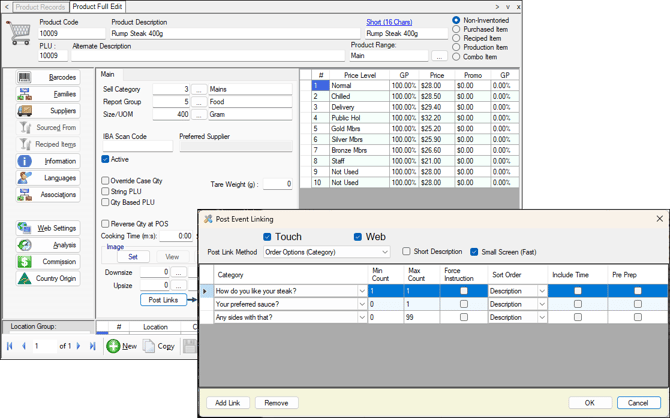
- The item/product selected may have a Post Linking configuration that looks like this:
End of article ▲