
This outlines How To Upsize A Combo Item using the Upsize (#855) POS Key in Touch using the Burger Meal Deal Combo as an example.
Subjects ▲ ▼
What Is Required? ▲ ▼
- Ensure the Upsize (#855) POS Key has been added to the appropriate Keyboard Layout using the Designer. Refer HERE for more information.
How To Upsize A Combo Item? ▲ ▼
In Touch, do as follows:
- Order/Sell a Combo. Refer HERE for more information.
- Select one of the Items listed in the sales grid. For example, Fries Small.
- Select the Upsize (#855) POS Key.
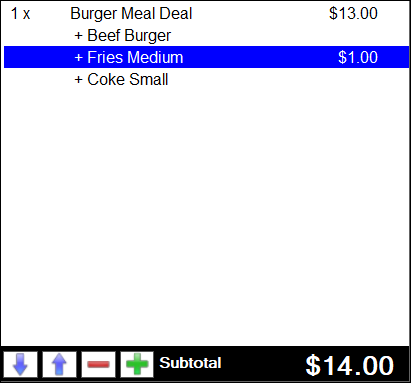
- The sales grid will now display the Fries Small upsized to a Fries Medium and the Combo Price of $1.00 added to the Subtotal.
- Complete the Order/Sale.
End of article ▲