
This outlines the How To Re-Order Table Items using the Reorder Table Items (#110) POS Key in Touch
How To? ▲ ▼
How To Re-Order Table Items? ▲ ▼
- In Touch, enter a Table number or open an existing Table that has already had items ordered.
- Select the Reorder Table Items (#110) POS Key to open the Re-Order Items screen.
- Select the items that are being re-ordered.
- Select OK to add the re-ordered items to the sales grid.
- Select the Table# (#30) POS Key to save the Table.
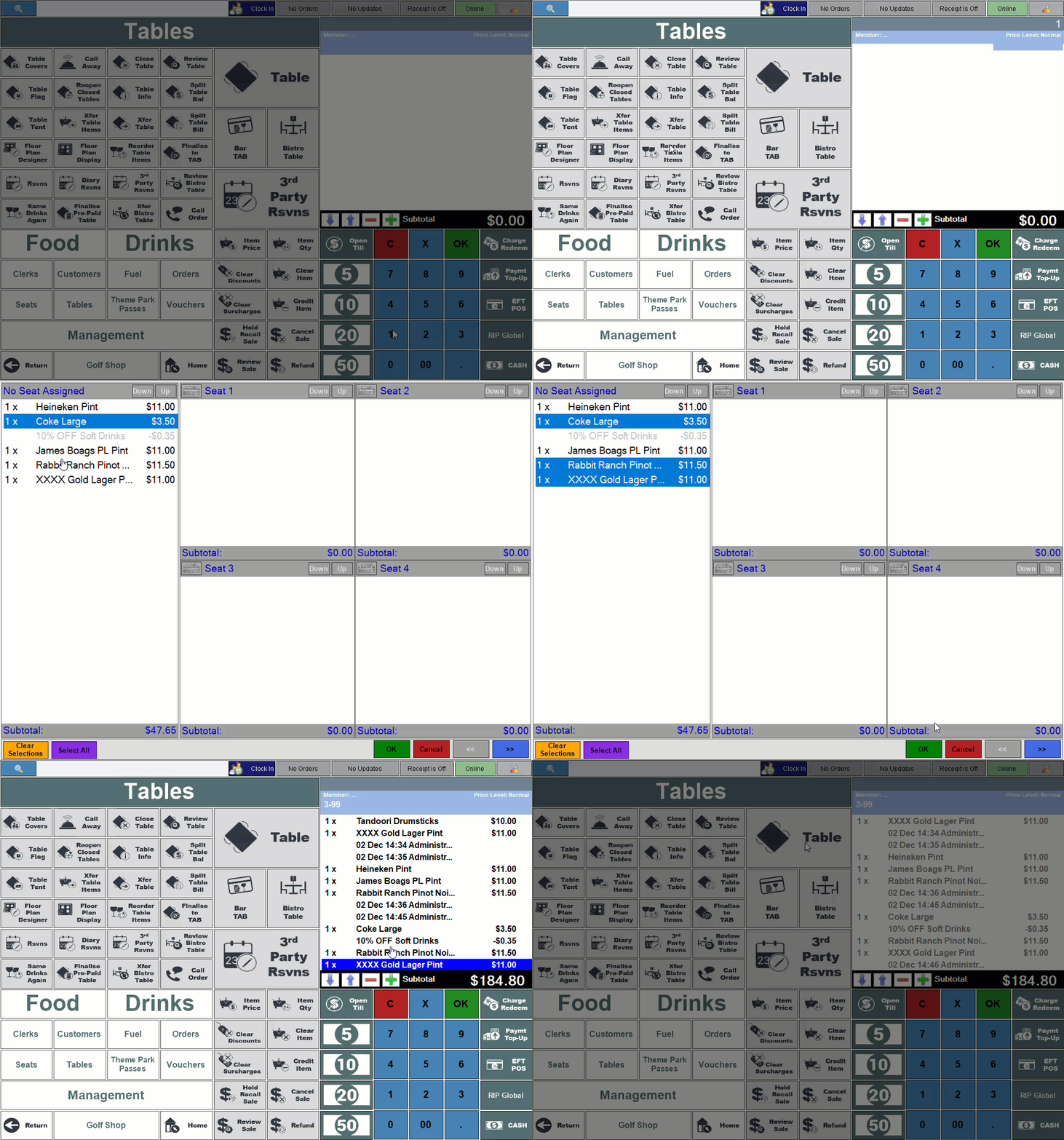
Example of re-ordering Table items that are NOT assigned to specific seats
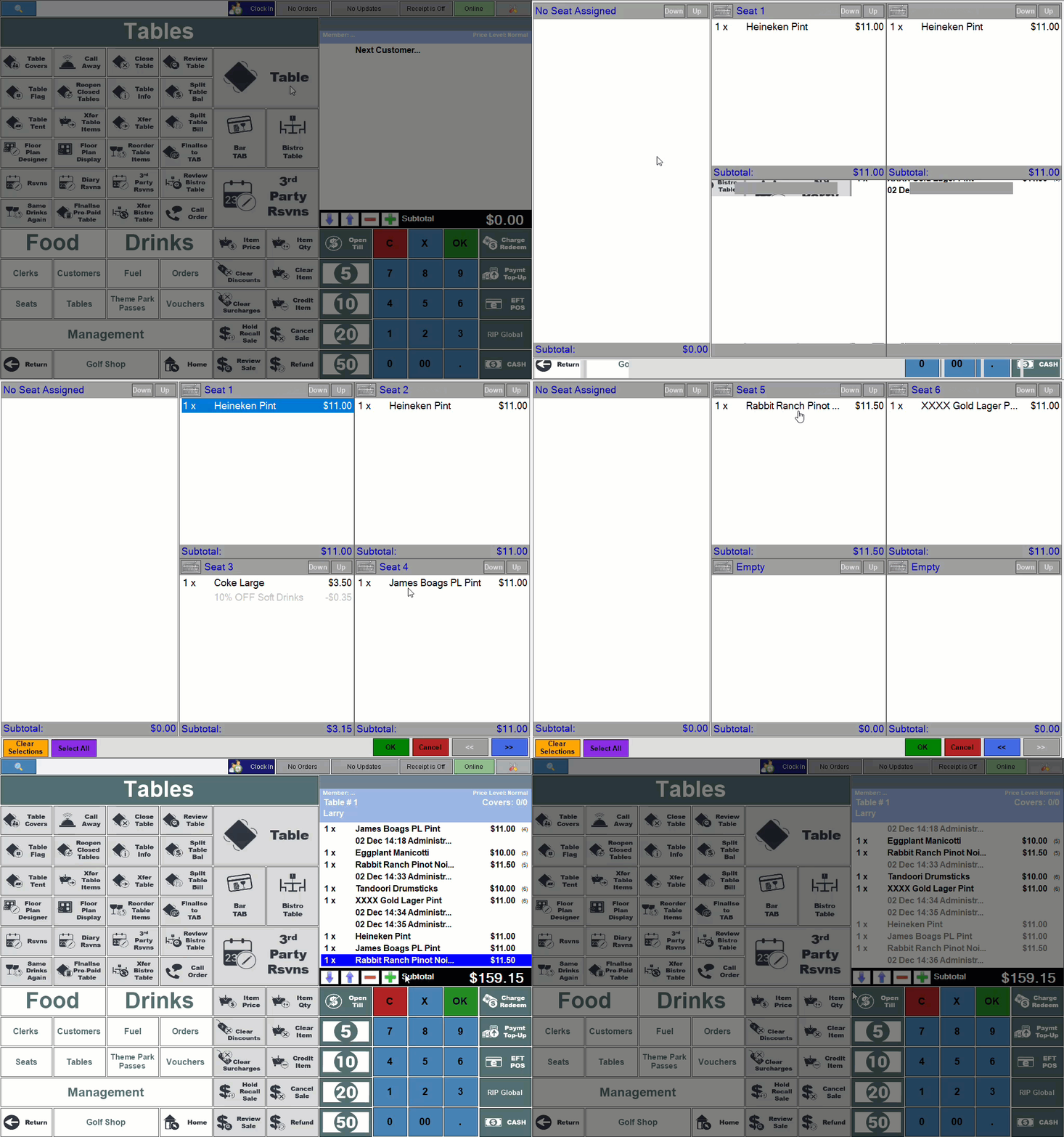
Example of re-ordering Table items that are assigned to specific seats
End of article ▲