
This outlines the How To Link Multiple POS Keys using the Multi Link (#999) POS Key. Refer HERE for more information.
How To? ▲ ▼
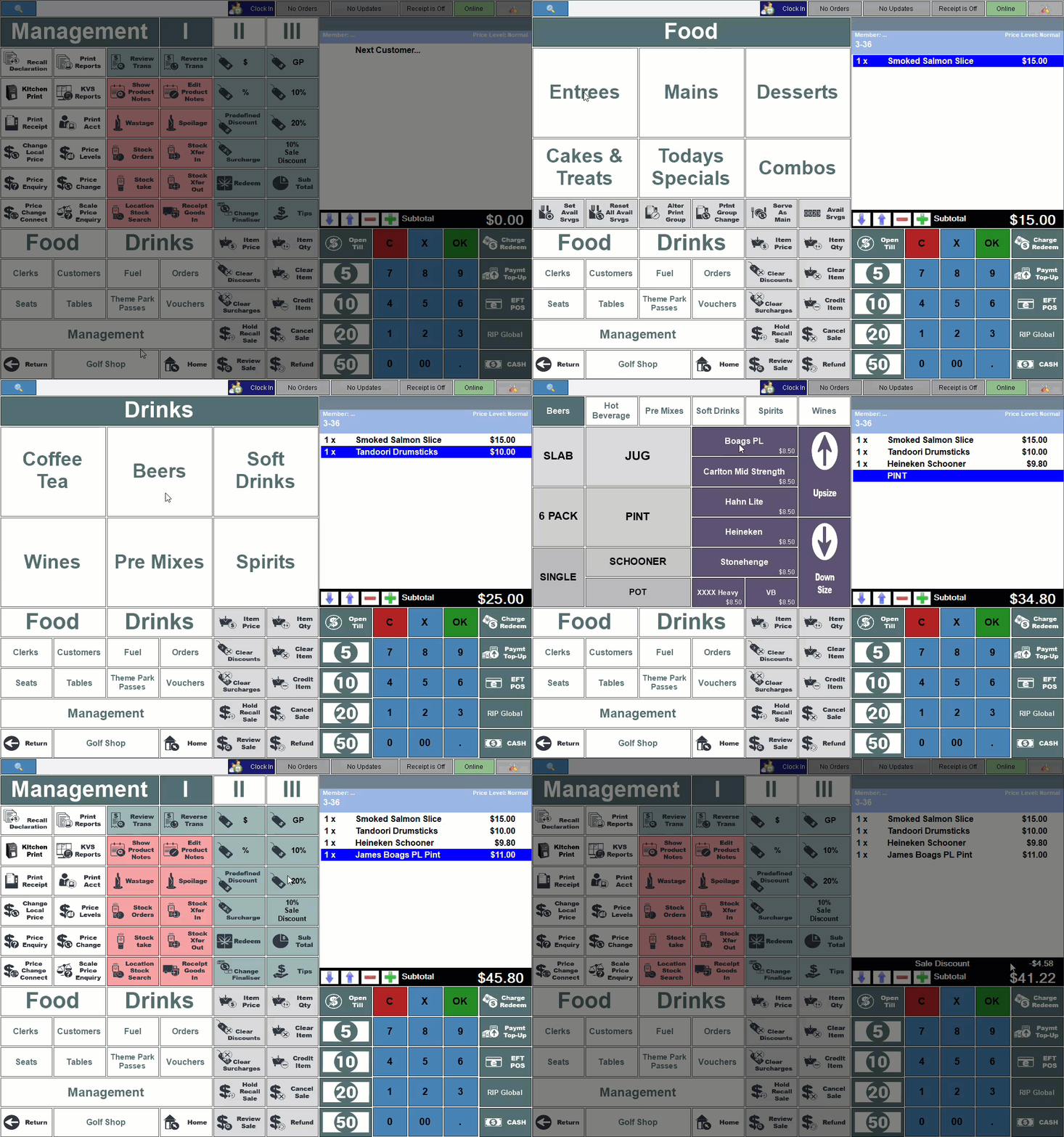
In the example outlined in GET STARTED, a Multi Link (#999) POS Key was configured to support the application of a 10% Sale Discount (captioned as such) by linking both the Subtotal and Discount function keys. To use this POS Key, do as follows:
- In Touch, add multiple Items/Products to the sales grid.
- Once all Items/Products have been added for the sale, select the 10% Sale Discount POS Key.
- Those Items/Products in the sale that did not have a discount already applied, will be totalled and a 10% discount of the total applied to the sale.
End of article ▲