
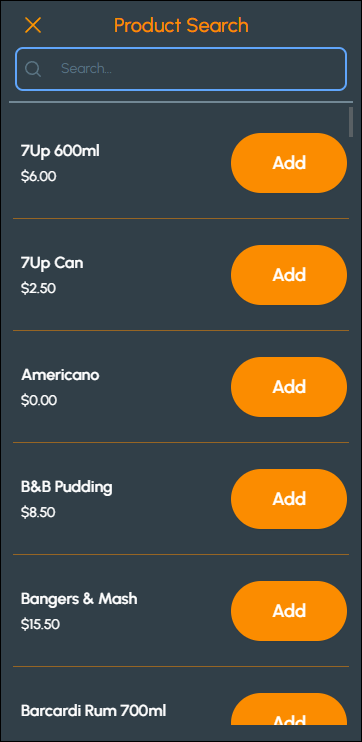
To access, select the Product Search menu option from the Touchmini Menu. Used to search for an Item/Product that can be added to an Order. Refer HERE for more information.
To exit the Product Search screen, select the X option in the top left-hand corner of the screen to exit and return to the Touchmini Menu.
Sections ▲ ▼
Header Section ▲ ▼
In the search field, enter the name or portion of the name of the Item/Product to be searched for. For example, enter the text coke to search all Items/Product that contain that text in their description.
Grid Section ▲ ▼
Displays the Items/Products returned after the text is entered into the search field in header. Scroll to navigate through the Items/Products displayed.
- Add - Select to add the Item/Product to the Order.
End of article ▲