
This outlines How To Detect Allergens in Touchmini.
Subjects ▲ ▼
About ▲ ▼
How To? ▲ ▼
Once added and declared against the appropriate Items/Products in Back Office, Allergens will be presented to the Clerk/Staff Member when using Touchmini. They will appear in Touchmini, when the Product is added to an Order/Sale. For example:
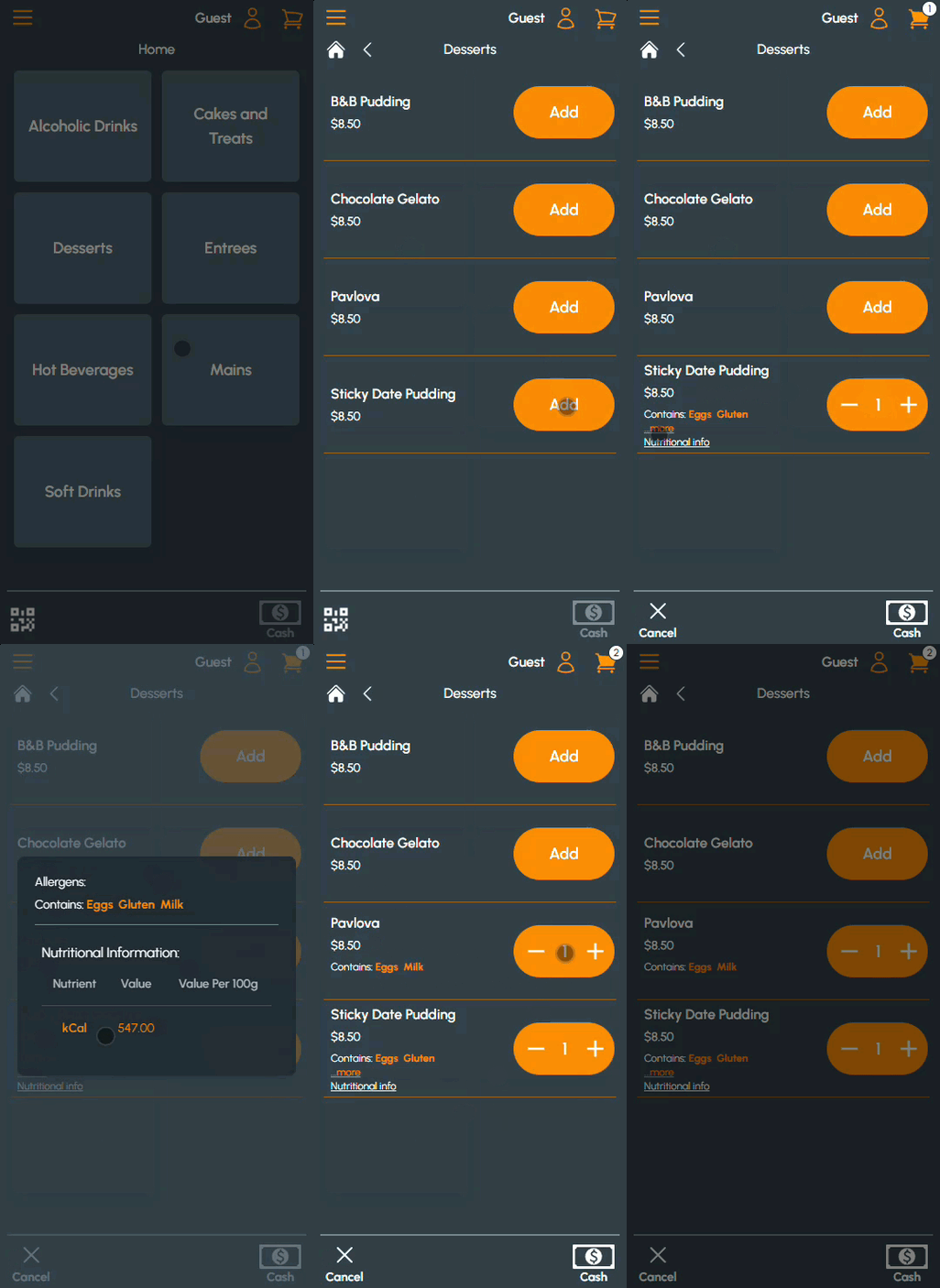
Example of Allergens detected in Touchmini
End of article ▲