
This outlines How To Configure And Use Discounts in Orderaway and Touchmini.
Subjects ▲ ▼
About ▲ ▼
What Is Required? ▲ ▼
- Swiftpos V10.72.8+
When Is It Used? ▲ ▼
Used when a Discount is to be applied to Orders/Sales placed via Touchmini v2, in order to Offer patrons a Discount when placing Orders/Sales. Discounts are only available in:
- Orderaway
- Touchmini v2
How To? ▲ ▼
How To Configure For Discounts? ▲ ▼
In Back Office:
- Create a new Discount in Back Office by selecting the New option in the Discount Setup screen.
- Give the new Discount an appropriate name. For example, 10% Discount.
- Ensure the Web Enabled option is selected.
- Ensure the Auto Apply Discount option is selected.
- Configure any other settings as is appropriate for the Discount being offered. For example, Discount (Single Product or Family), Dates and Times, Filters and Discount Settings.
- Save the Discount.
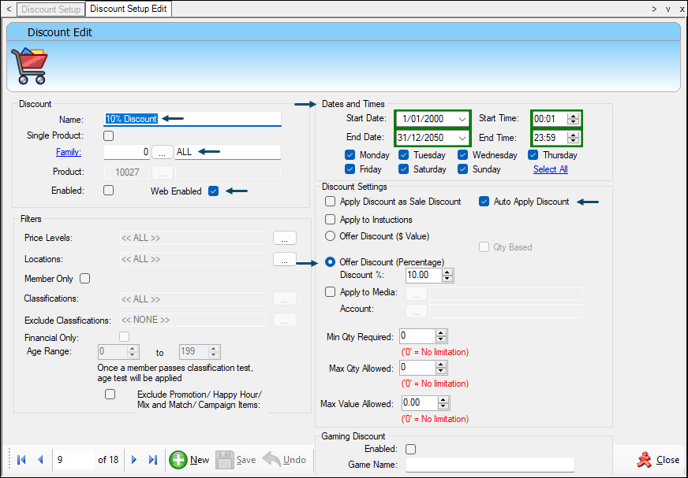
Example of the configuration of a Discount to be made available to Orderaway and Touchmini
How Discounts Appear In? ▲ ▼
Insert gif HERE
Example of Discounts being applied when using Orderaway
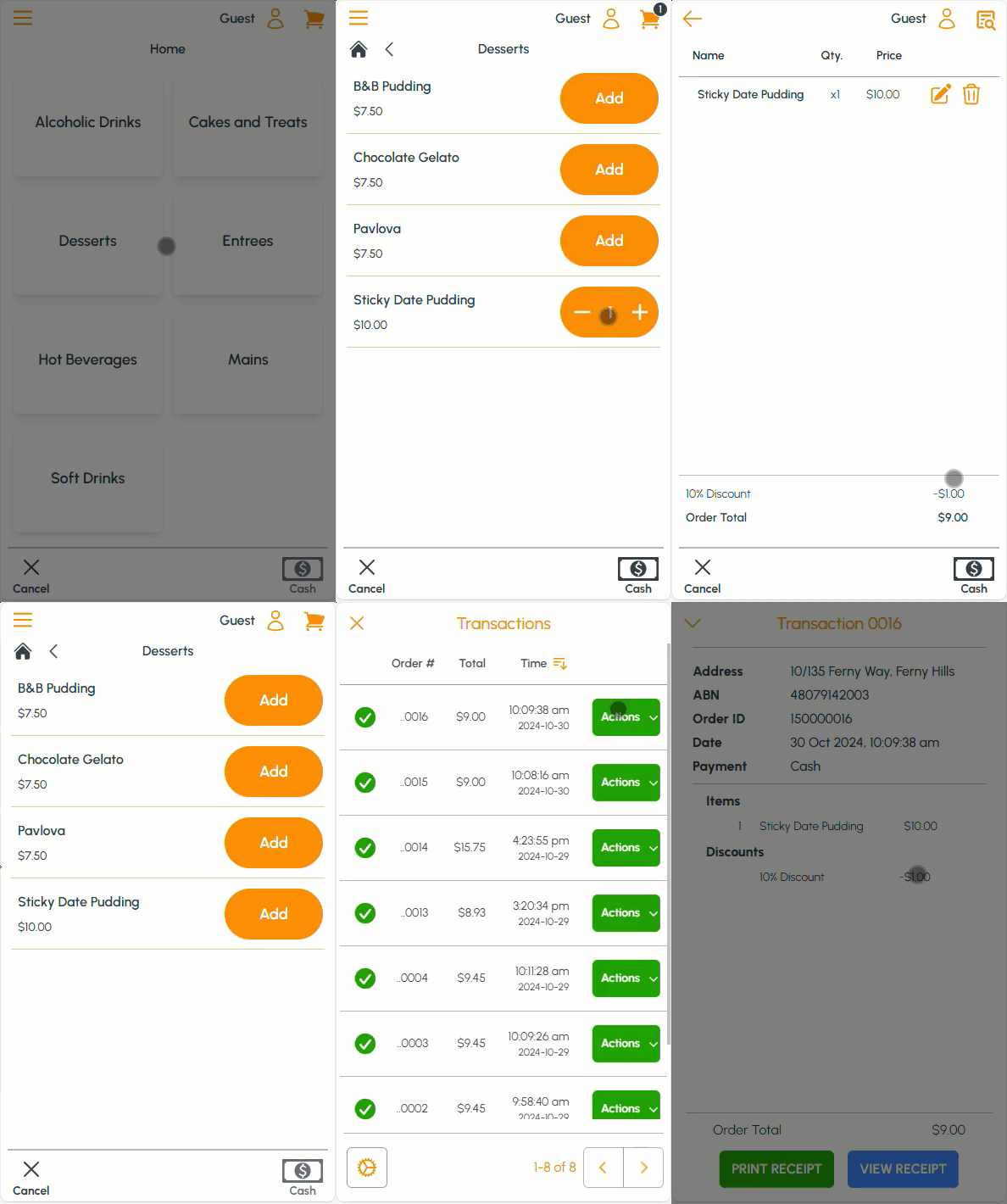
Example of Discounts being applied when using Touchmini v2
End of article ▲