
This outlines How To Charge To An Account in Touchmini.
Subjects ▲ ▼
About ▲ ▼
What Is Required? ▲ ▼
- Swiftpos v10.72.8+
What To Consider? ▲ ▼
- Charging to an account must cover the total value of the whole order/sale. Partially paying by charging to an account and then paying the remaining amount using another payment Media is NOT supported.
When Is It Used? ▲ ▼
Used to provide account holders/Members with an alternative method of payment to pay for an order/sale by charging the full amount of the order/sale to their account.
How To? ▲ ▼
How To Charge To An Account? ▲ ▼
Do as follows:
- Sign in as an account holder or Member.
- Add items to an order/sale.
- Select the Account icon to initiate an account charge.
- In the Accounts screen, select the Charge Account option to finalise the order/sale.
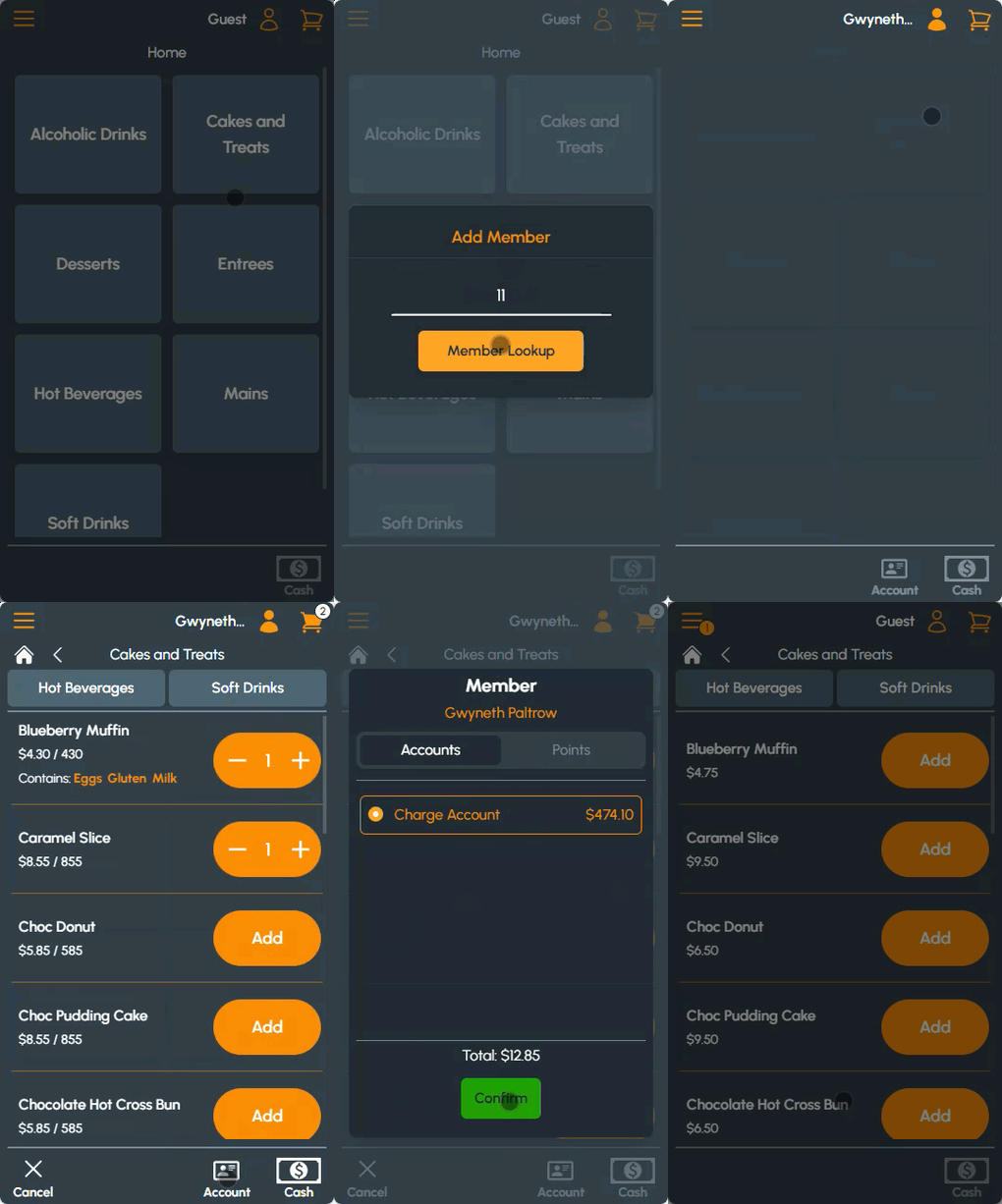
- If the account holder or Member has an account balance that does not cover the total value of the order/sale, an Insufficient Balance notification will be displayed.

How To Configure Touchmini? ▲ ▼
To enable the option of charging an order/sale to an account, do as follows:
- Ensure the Allow member to sign in option is selected.
- Ensure the Member account charge option is selected.
- Ensure the Enable swiftpos account charge processing opton is selected.
- Ensure the Media no option is configured. For example, enter the Media ID value of 90.
End of article ▲