
This outlines How To Remove An Order in Notify.
How To? ▲ ▼
What To Consider?
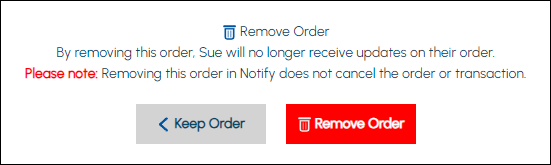
- Removing an order/sale in Notify will NOT cancel the order/sale. It will only mean that the patron will no longer receive update notifications as to the order's/sale's processing.
- An order/sale can be removed in Notify anytime, regardless of the processing step it is currently in.
How To?
An order/sale can be removed as follows:
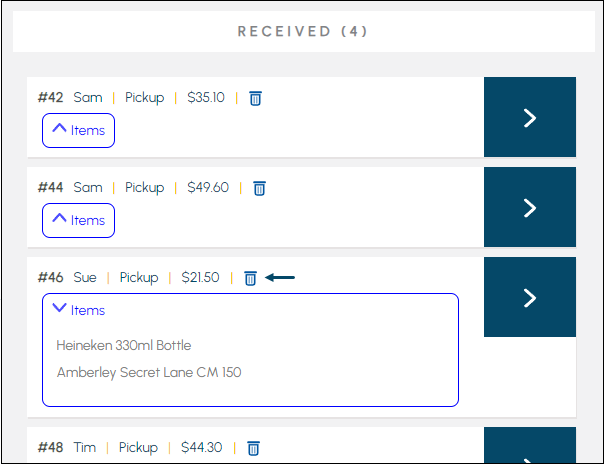
- Select the Trash Can icon for the order/sale to be removed.
- At the Remove Order confirmation prompt select the Remove Order option.
- The Order will no longer be visible in Notify.
End of article ▲