
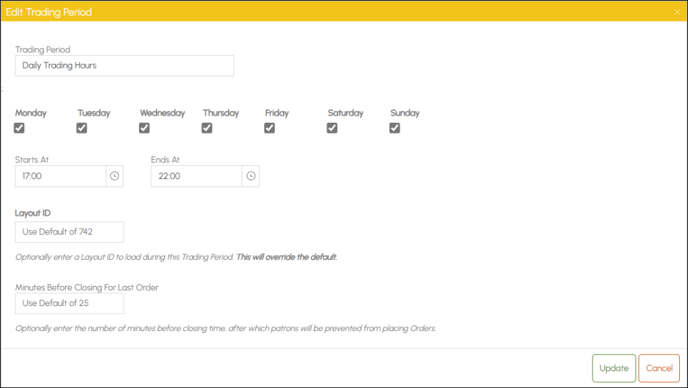
To access, select the Edit option in the Trading Periods tab. Used to edit a Trading Period for the currently select Orderaway Profile.
- Trading Period - Display/Enter the name to be given to the Trading Period.
- Days - Display/Select the days the Trading Period applies.
- Starts At - Display/Set the start time for the Trading Period.
- Ends At - Display/Set the end time for the Trading Period.
- Layout ID - Display/Enter the ID of the Layout for the Home menu. Setting this will override the default.
- Minutes Before Closing For Last Order - Display/Enter the number of minutes before closing time, after which patrons will be prevented from placing Orders.
End of article ▲