
This outlines the How To Hold An Order in KVS.
How To? ▲ ▼
How To Hold An Order? ▲ ▼
In the KVS Settings:
- Ensure the Enable option in the Journal Mode section of the Appearance tab is NOT selected.
In KVS:
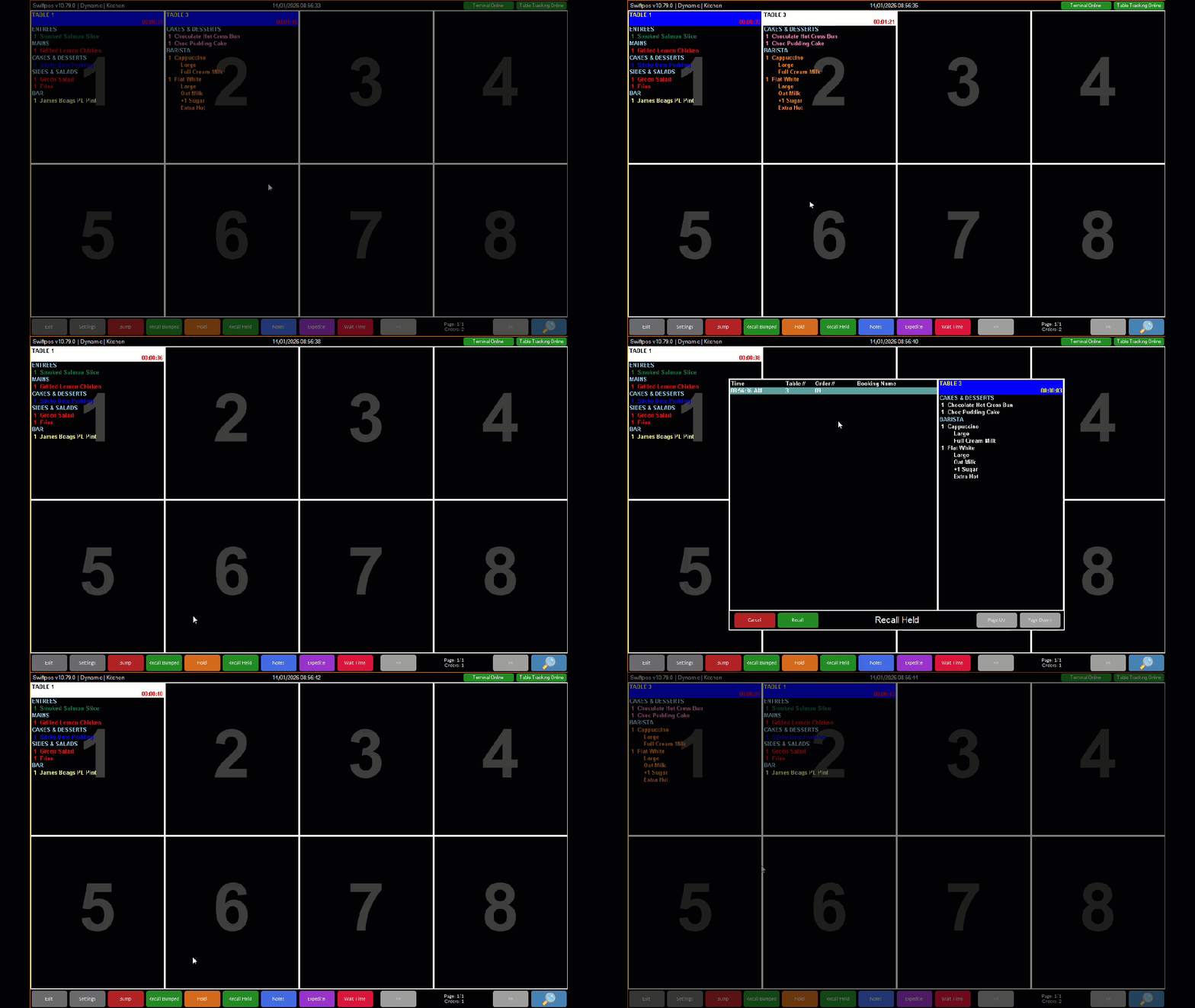
- Select an order that needs to be temporarily held for whatever reason.
- Select the Hold option from the Toolbar at the bottom of the screen.
- The order will no longer be displayed in the KVS cell(s).
How To Recall An Order? ▲ ▼
In KVS:
- Select the Recall Held option from the Toolbar at the bottom of the screen to open the Recall Bumped screen.
- Locate and select the order to be recalled.
- Select the Recall option at the bottom of the Recall Held screen.
- The order will now be displayed commencing in the first cell of the KVS screen.
End of article ▲