
This outlines the How To Recall A Bumped Order in KVS.
How To? ▲ ▼
How To Recall A Bumped Order? ▲ ▼
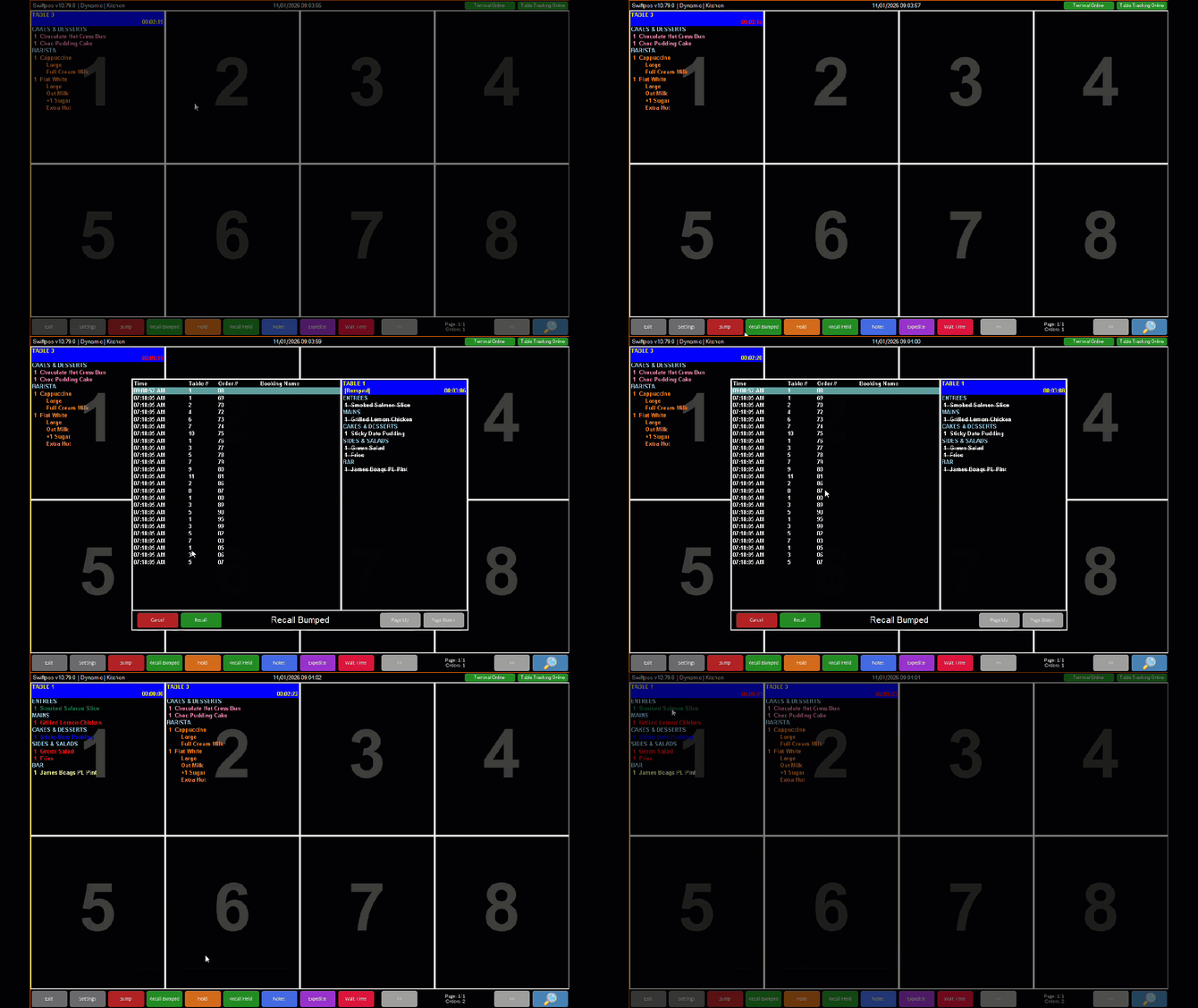
In KVS, do as follows:
- Select the Recall Bumped option from the Toolbar at the bottom of the screen to open the Recall Bumped screen.
- Locate and select the order to be recalled.
- Select the Recall option at the bottom of the Recall Bumped screen.
- The order will now be displayed commencing in the first cell of the KVS screen.
Notes ...
In the above example, the Bumped Lines option in the Show section of the Appearance tab is NOT SELECTED.
End of article ▲