
This outlines the How To Configure A Wait Time for KVS.
Subjects? ▲ ▼
About ▲ ▼
When Is It Used? ▲ ▼
A Wait time is normally determined and set by the head chef and is set to be displayed in Touch to ensure Touch operators are informed of the average time it takes before an order can be served. It will be displayed in Touch to right of the K status indicator in the information bar. Refer HERE for more information.
How To Configure A Wait Time? ▲ ▼
- In Touch
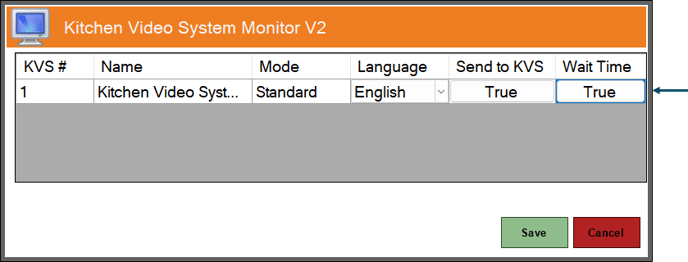
- Ensure the Wait Time option is set to True against the KVS Peripheral that will be used to set wait times.
Notes ...
It is recommended that only one KVS is identified and has the Wait Time option set to True.
- In KVS
- Select the Wait Time option to display the Wait Times prompt.
- Select one of the Wait Time options displayed in the prompt.
- Select OK to save the selection and close the prompt.
- Once set, the Wait Time will be displayed in Touch to right of the K status indicator in the Information bar. Refer HERE for more information.
Notes ...
If NO Wait Time is selected or the No Delay option is selected, then the time displayed at Touch will be K [0 mins].
End of article ▲