
This outlines the information and the steps that are needed to familiarise oneself with the Gunnebo Cash Management interface in Service Monitor.
Screens ▲ ▼
Gunnebo Cash Management Screen ▲ ▼
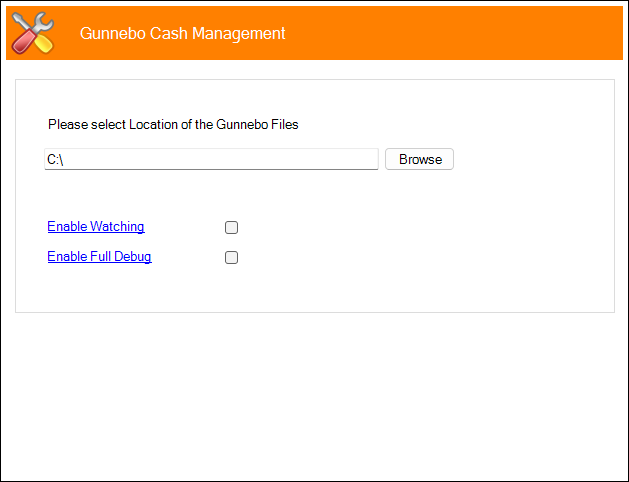
To access refer to How To Access The Service Monitor for more information. Used to configure the settings required for the Gunnebo Cash Management interface.
- Location of Gunnebo Files - Displays/Enter/Select the path that locates the files returned (declared and processed) by the Gunnebo Cash Management system. Once imported, these will be able to be Cashed Off as per normal via the swiftpos Back Office.
Notes ...
The location/Path of Cash Off files sent to Gunnebo will need to be set HERE. Also, Terminal Cash Offs will need to be enabled for the Venue.
- Enable Watching - Select to enable the Service Monitor to watch for activity.
- Enable Full Debug - Select to enable. This should only be enabled when recommended.
- Use Club ID - Select to ensure the Club ID setting configured HERE is used.
End of article ▲