
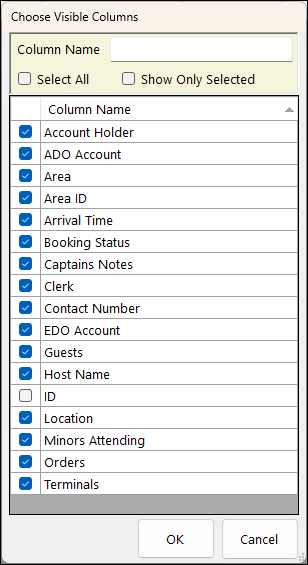
To access, select the Columns option in the footer section of the Event Session screen. Used to select the columns be displayed in the Event Session screen.
Filters Section ▲ ▼
- Full/Partial Texts – The filter of this type is Column Name. Enter a full or partial text, to search the available Members and return only those that contain an occurrence of the text entered.
- Select All - Select to ensure all columns displayed in the grid are selected.
- Show Only Selected - Select to ensure only selected columns are displayed in the grid.
Grid Section ▲ ▼
Displays a list of column names that can be selected to be displayed in the Event Session screen.
Footer Section ▲ ▼
- OK - Select to exit and ensure selections made are applied.
- Cancel - Select to exit without applying the selections.
End of article ▲