
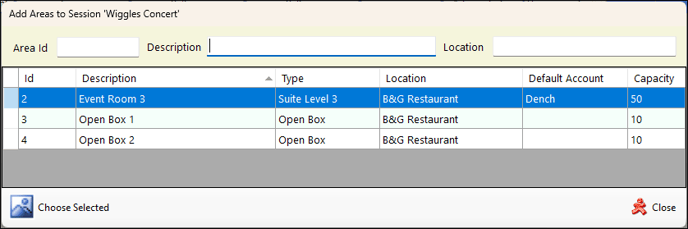
To access, select the Add option in the Events Session screen. Used to add Areas to an Event Session.
Filters Section ▲ ▼
Used to limit the number of rows displayed in the grid. The filters include the following types:
- Full/Partial Numbers - The filter of this type is Area ID.
- Full/Partial Texts – The filters of this type are Description, Location. Enter a full or partial text, to search the available Areas and return only those that contain an occurrence of the text entered.
Grid Section ▲ ▼
Displays a list of Events along with their ID, Description, Type, Location, Default Account and Capacity.
Footer Section ▲ ▼
- Choose Selected - Select to ensure the Area currently selected in the grid is to be added to the Event Session.
- Close - Select to exit without making a selection.
End of article ▲