
Could not load file or assembly 'NetPOS.Net.Model'

Occurs
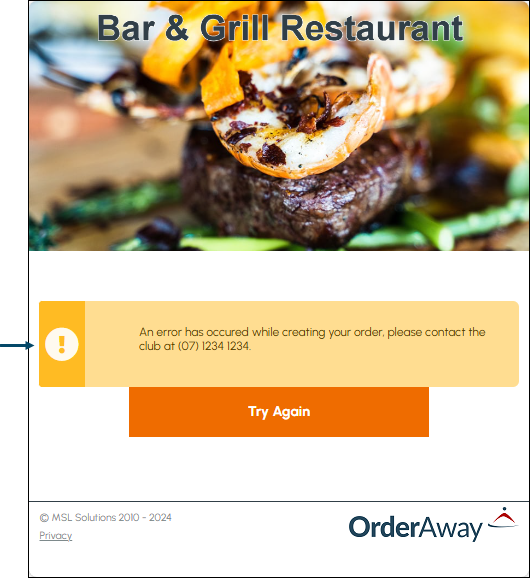
When attempting to establish a connection to the Swiftpos Back Office via a Cloud Application that makes use of Swiftpos Back Office API. For example, in Orderaway instead of the Home menu loading, the following error notification maybe displayed:
On further investigation of the error, the following explanation maybe discovered.
Could not load file or assembly 'NetPOS.Net.Model' or one of its dependencies. An attempt was made to load a program with an incorrect format.
Action To Be Taken
- Confirm IIS has been correctly configured. That includes ensuring the Enable 32-Bit Applications setting is set to True in the Advanced Settings for the Swiftpos entry of the Application Pools.
- Once set to True, select Application Pools listed on the left-hand side of the screen and then select the Recycle option in the Application Pool Tasks section on the right-hand side of the screen.
- Restart IIS, by selecting the connection listed at the top of the Connections section on the left-hand side of the screen and then selecting the Restart option Manage Server section on the right-hand side of the screen.
- If IIS has been correctly configured and restarted, then refresh the browser and retry Orderaway to confirm the Home menu loads as expected.
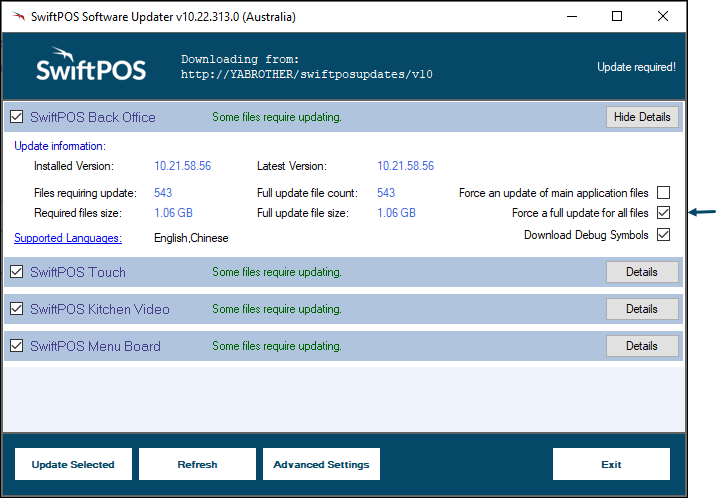
- If still no luck, try re-running the Swiftpos Software Updater with the Force a update for all files option selected for each of the Swiftpos application listed in the Updater. This will ensure the forced update of all files.
End of article ▲